
Open an exercise page
1
Go to Progress
- Open Kilo and tap the Progress tab.
- Make sure Exercises is selected at the top.
- Tap ✓ Logged to hide exercises you have not done yet.
2
Tap an exercise
Each row shows how many sessions include the exercise and when you last did it. Tap a row to open its page.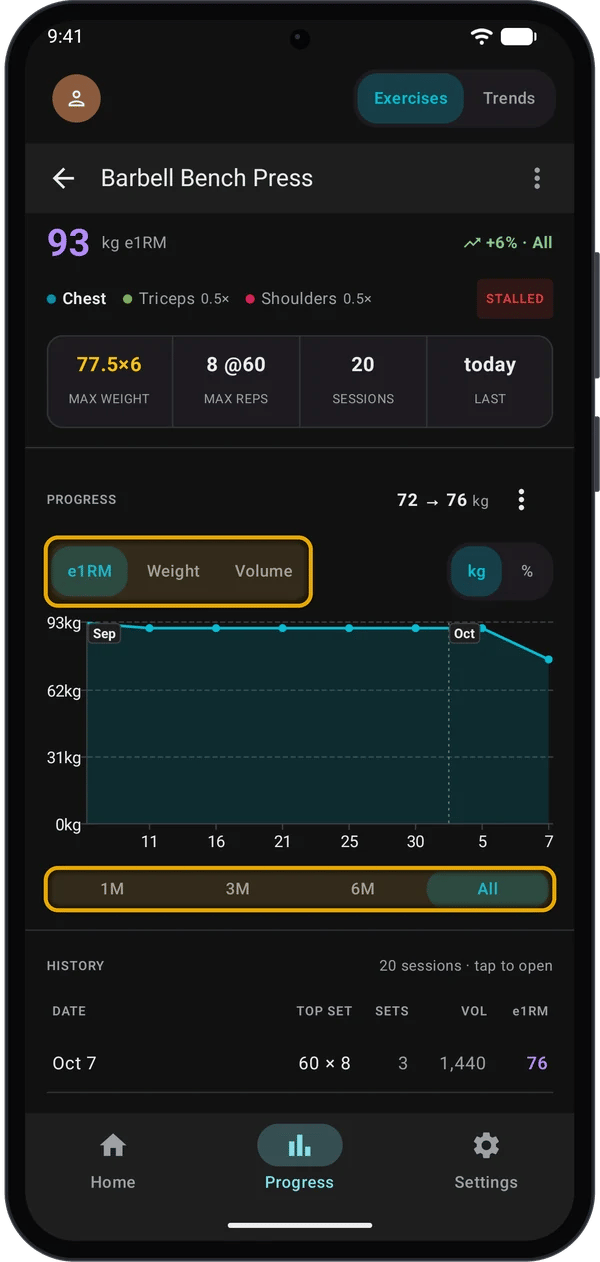
The page opens with the exercise name at the top and a large e1RM number.
Read the exercise page
The headline
The change and the status follow the range you pick under the chart. Both need at least two sessions in that range; with fewer, they do not show.
The stats ribbon
The chart
The PROGRESS chart plots one point per session.1
Pick a metric
Tap e1RM, Weight or Volume.
A bodyweight exercise with no weight logged (push-ups, pull-ups) shows a Reps chart instead: the average reps per set each day. The metric buttons do not show.
2
Pick a range
Tap 1M, 3M, 6M or All under the chart. The chart scrolls sideways when it holds more points than fit on screen.
3
Switch between line and bars, or add a trendline
Tap the ⋮ button beside the chart title.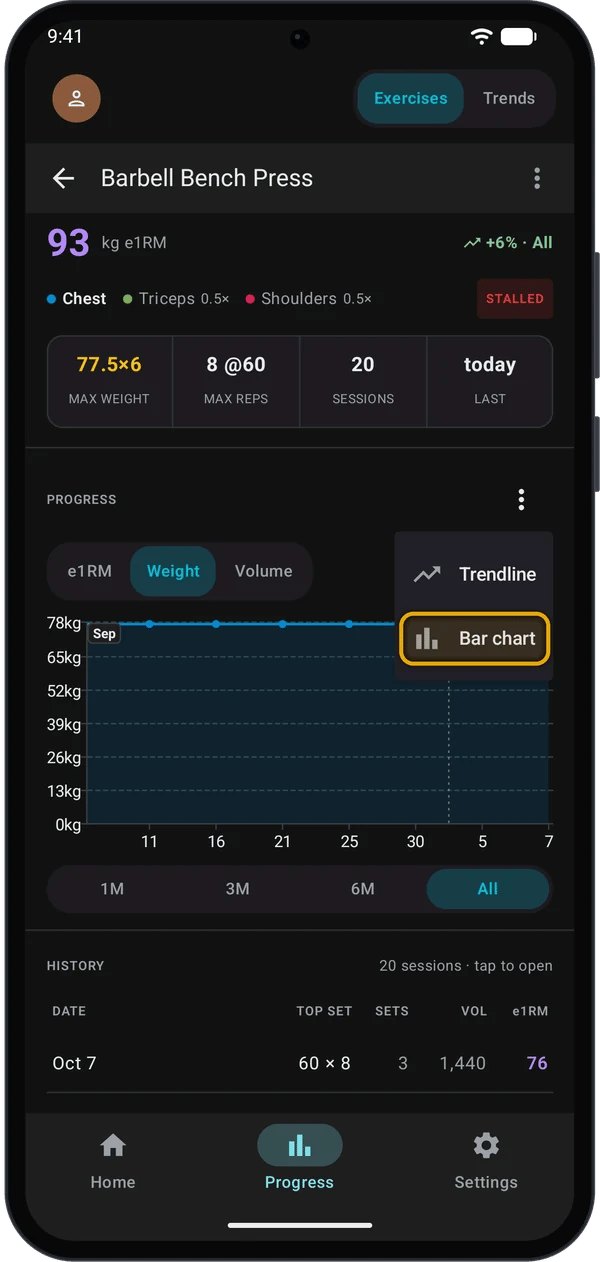
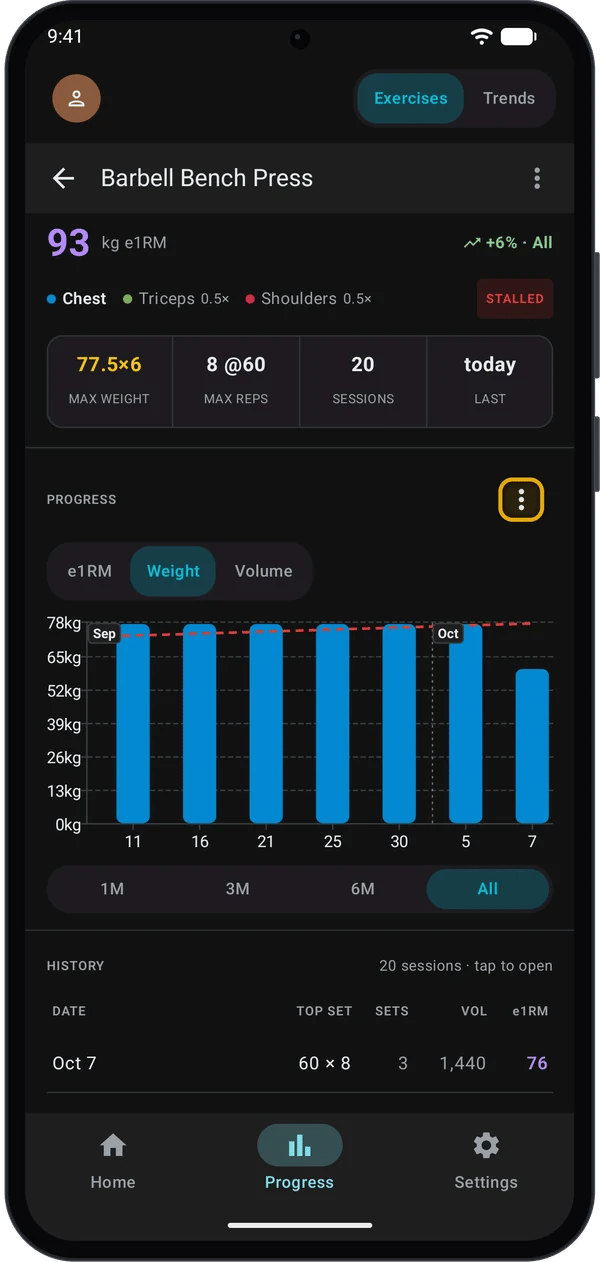
- Bar chart / Line chart switches the chart type. Kilo remembers your choice for each metric.
- Trendline draws a straight best-fit line through the points.
Session history and how-to
Under the chart, HISTORY lists one row per workout, newest first: the date, the top set, the number of sets, the session volume and the session e1RM. Rows that set a personal record are marked with a trophy. Tap a row to open that workout. Tap SHOW ALL to see more than the first 10 rows. HOW TO opens the step-by-step instructions for the exercise.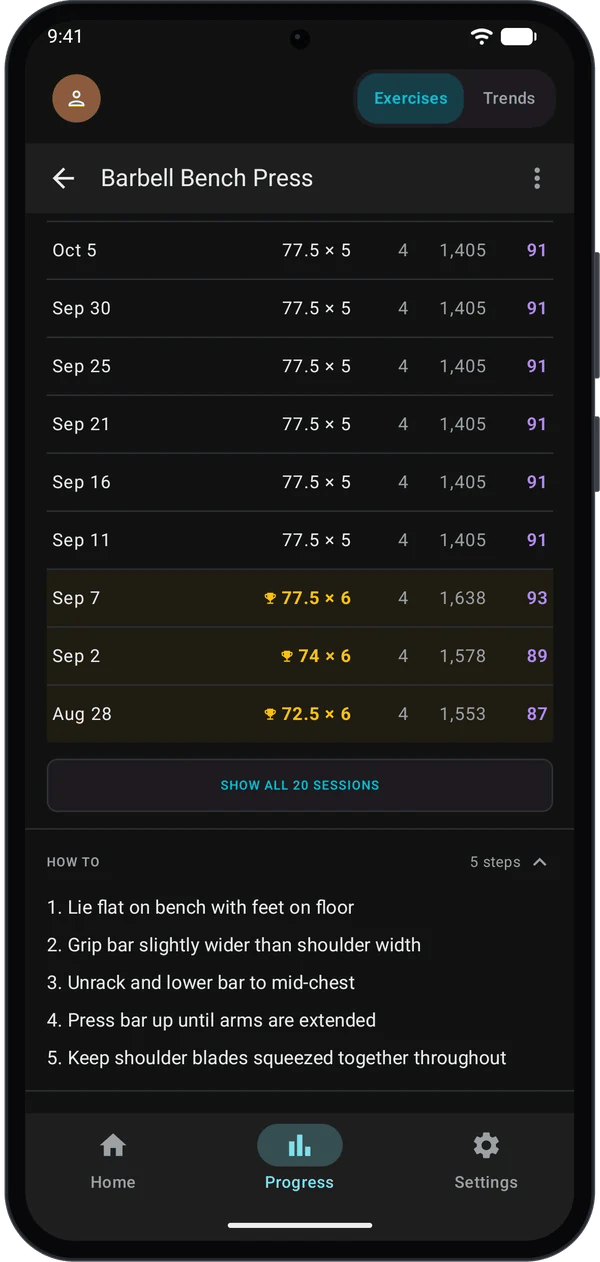
How Kilo works out e1RM and status
e1RM (estimated one-rep max) uses the Epley formula:STALLED wins over the trend. A lift can show +6% and STALLED at the same time: it went up early in the range, then stopped setting new bests.
Trends
Tap Trends at the top of the Progress tab. The top shows your all-time volume, the number of workouts and sets, and a bar that splits the volume by body region.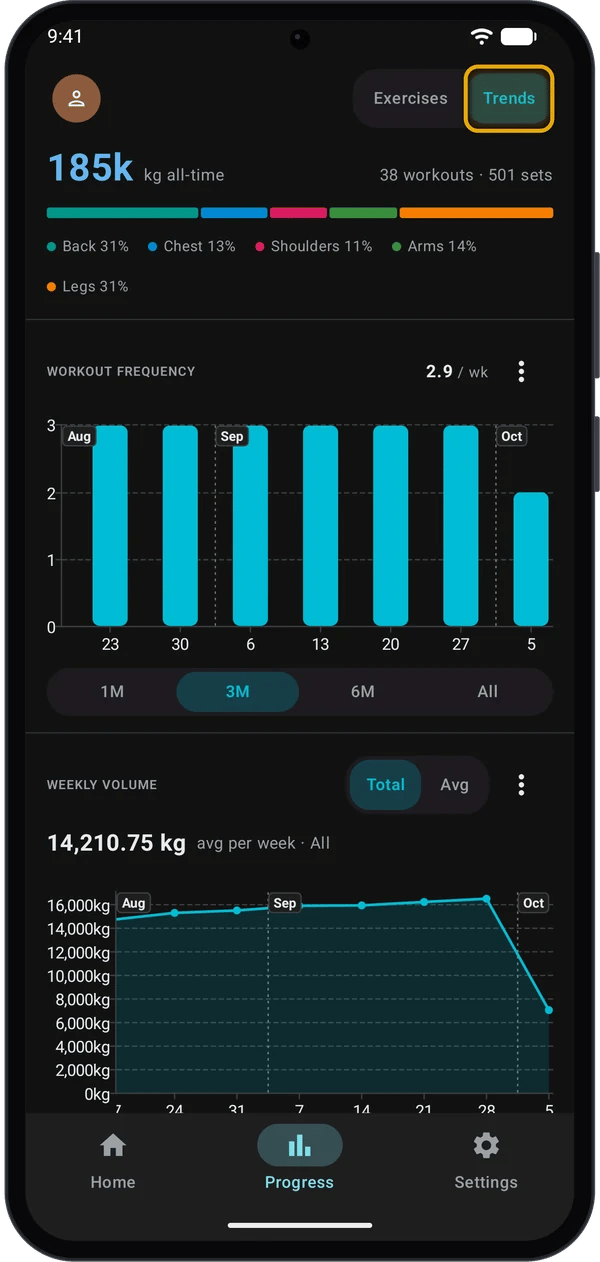
Workout frequency
One bar per week, counting finished workouts. The number beside the title is the average per week in the range you picked. This chart starts on 3M; the others start on All.Weekly volume
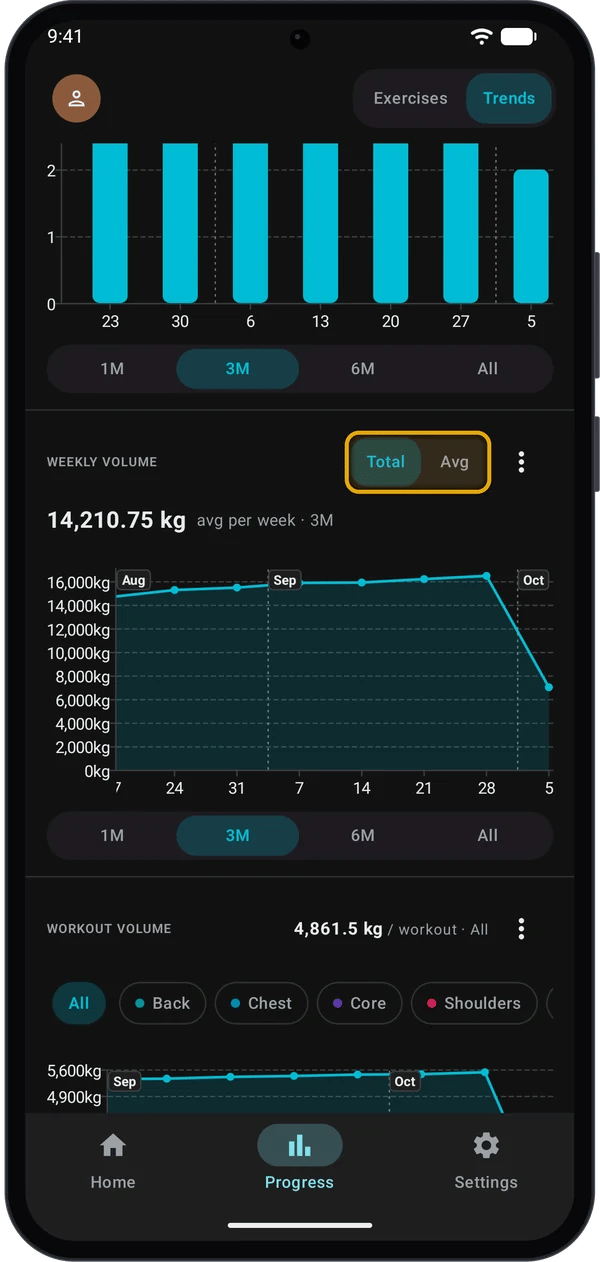
For 1M, 3M and 6M, a second line compares the number with the same length of time just before the range (for example +5% vs prev 3M). It shows only when both periods have workouts.
Workout volume by muscle
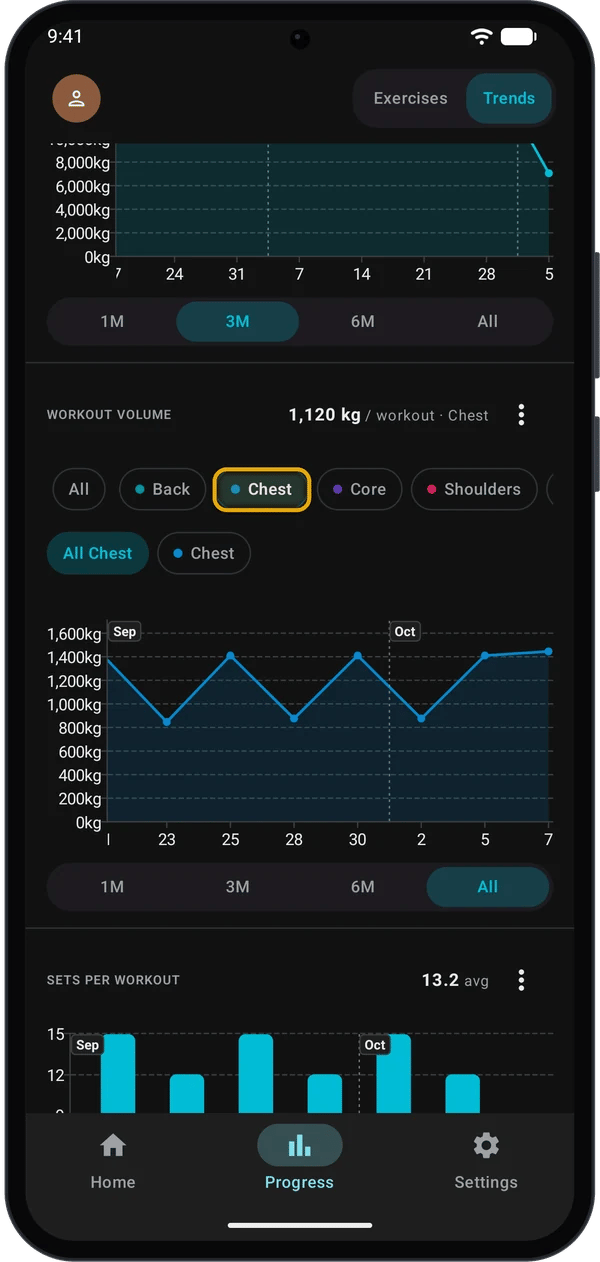
- The exercise’s primary muscle gets the full set volume (1×).
- Each secondary muscle gets half (0.5×). You see these on the exercise page.
- A set whose exercise was deleted from your exercise list counts as Other.
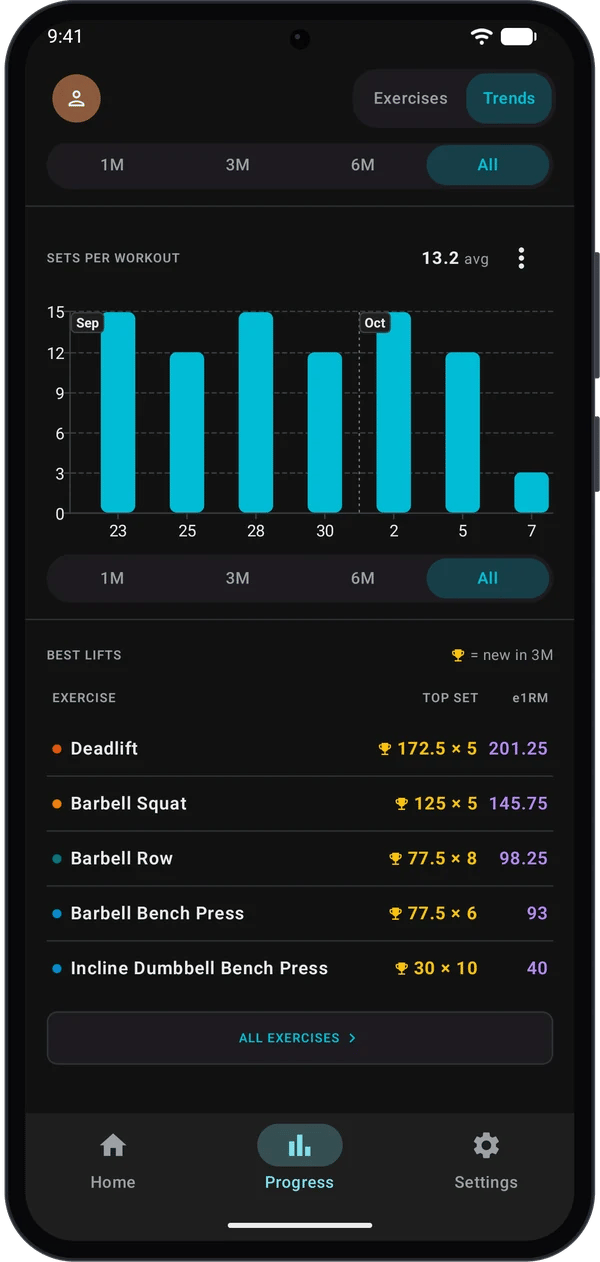
Sets per workout
One bar per workout, counting completed sets. The number beside the title is the average in the range.Best lifts
Free and Pro
Locked ranges and the locked Trendline item show a padlock. Tapping them opens the upgrade screen. See Kilo Free vs Pro.
Quick fixes
The chart says Not enough data to chart
The chart says Not enough data to chart
The chart needs at least two sessions in the range you picked. Pick a longer range or log another workout.
No status label on an exercise
No status label on an exercise
The status needs two or more sessions in the chart’s range. Pick a longer range.
An exercise is missing from the Exercises list
An exercise is missing from the Exercises list
Tap ✓ Logged to turn the filter off, or clear the search box and the muscle chips.
A lift shows a lower e1RM than I expect
A lift shows a lower e1RM than I expect
The headline e1RM comes from your best single set. A set logged as a drop set is not counted.
Next steps
How auto-progression works
See how a program raises your weights from session to session.
Kilo Free vs Pro
Compare what each tier includes.