Before you start
1
Install the phone app
Download the Kilo Android app from the Play Store. When you first open it, tap Yes, I have a Garmin watch.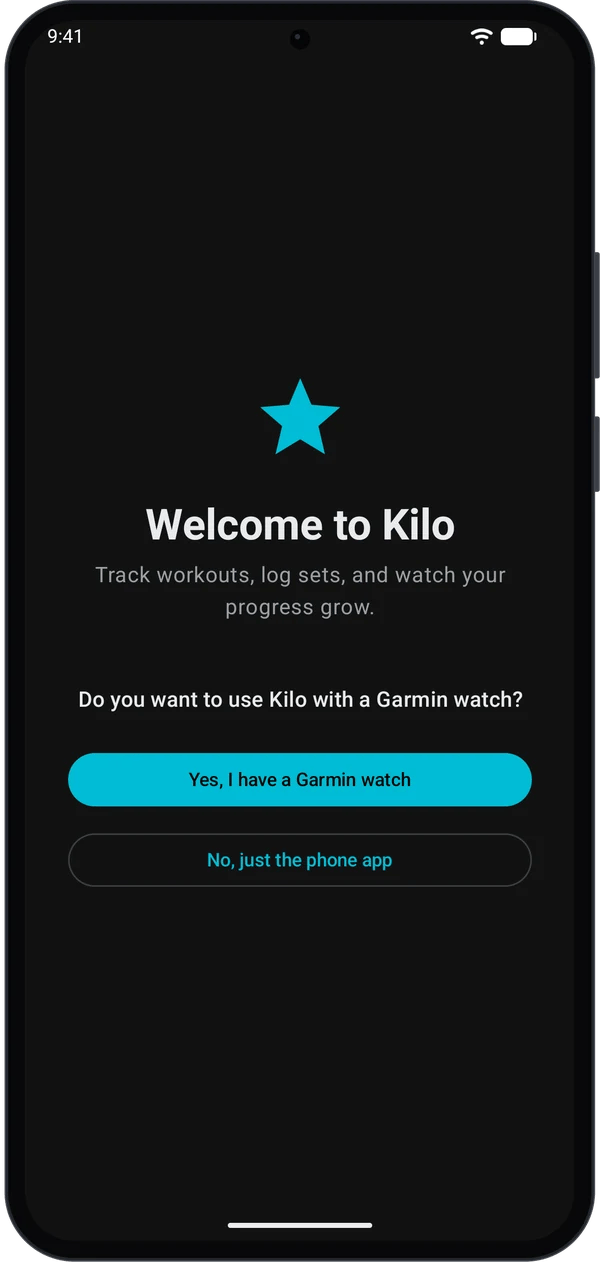
2
Install the watch app
Download the Kilo companion app from the Garmin IQ store. Kilo shows a Download Companion App button during setup.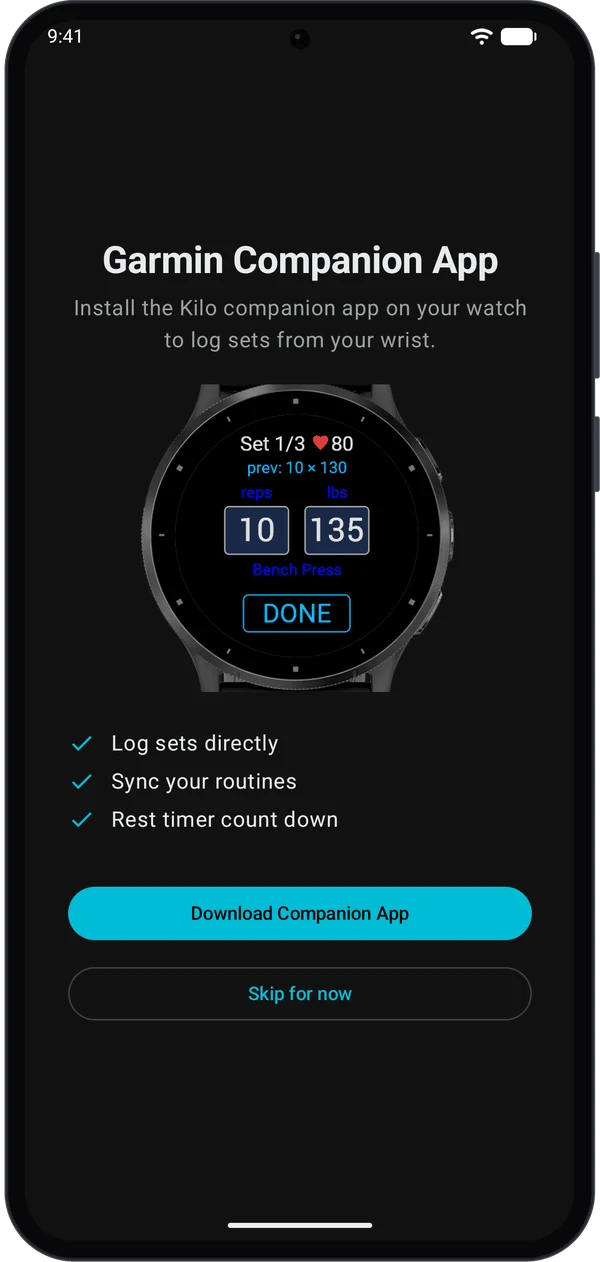
3
Check Garmin Connect
Make sure Garmin Connect is running on your phone.
Set up and run your first workout
1
Create a routine on your phone
- Open Kilo.
- Go to Home → Routines.
- Tap +, add exercises and sets, then tap Save.
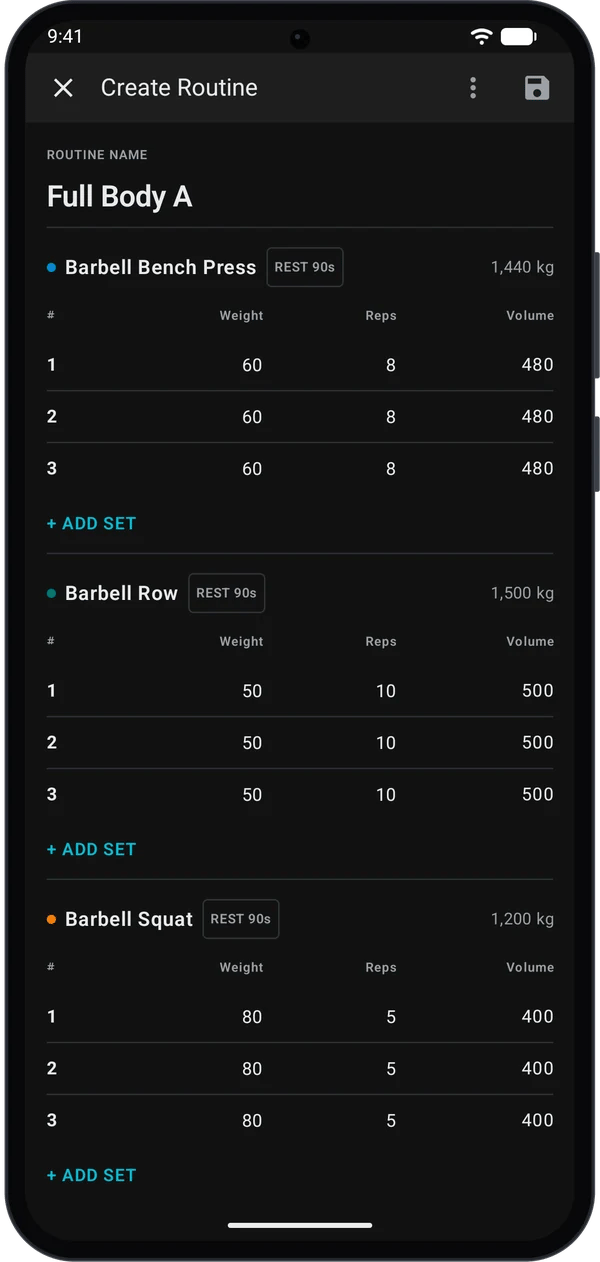
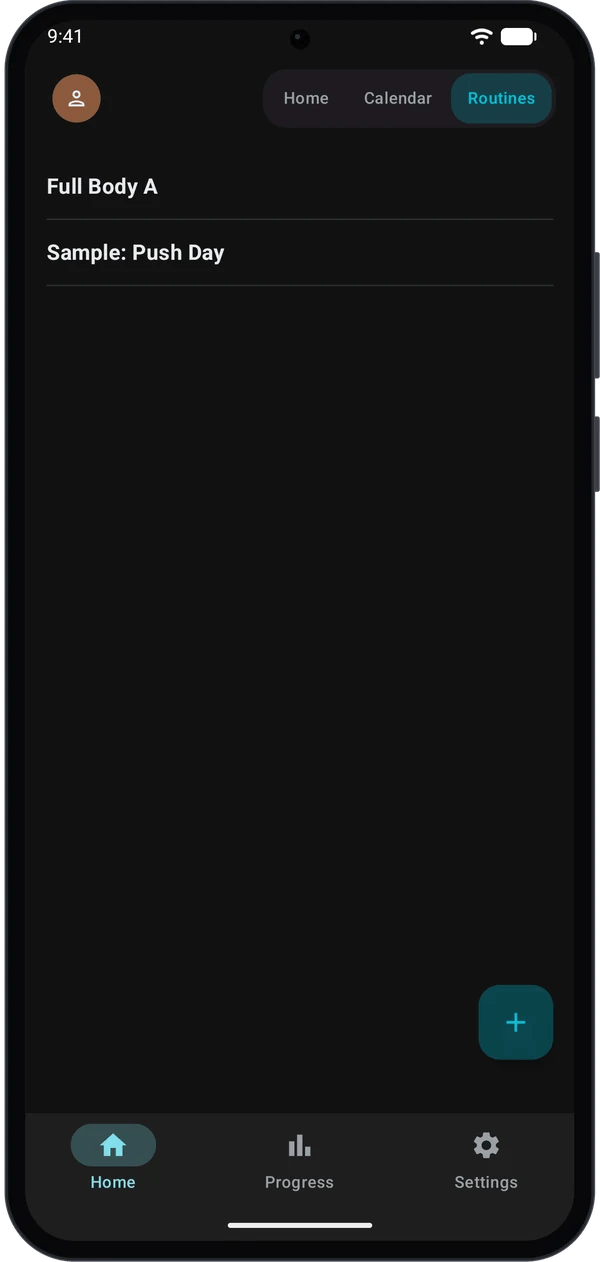
Your routine appears in the routines list.
2
Open Kilo on your watch
- Launch the Kilo companion app on your Garmin watch.
- Leave it open while you send the routine from your phone.
- If you see Waiting for phone routine, that is expected.
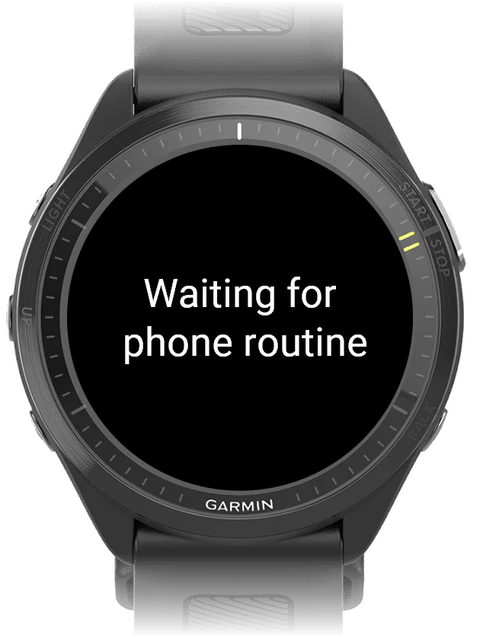
The watch is waiting on the routine screen.
3
Send the routine to your watch
- On your phone, go to Home → Routines.
- Select the routine you want to run.
- Tap Start Workout, then choose Start on Watch.
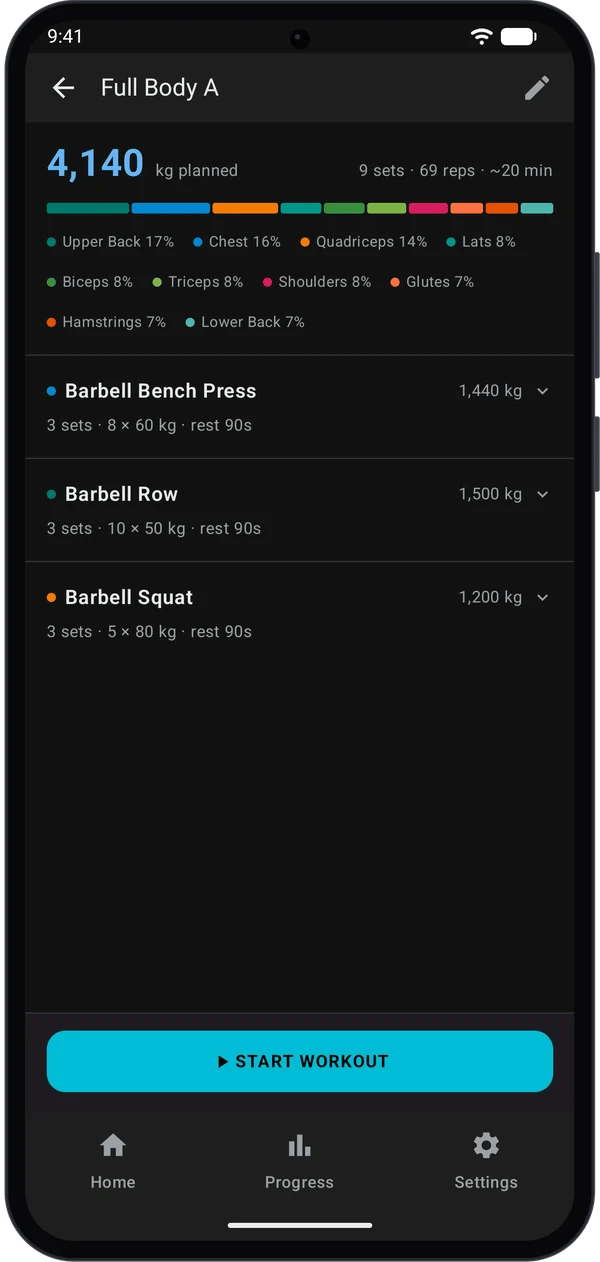
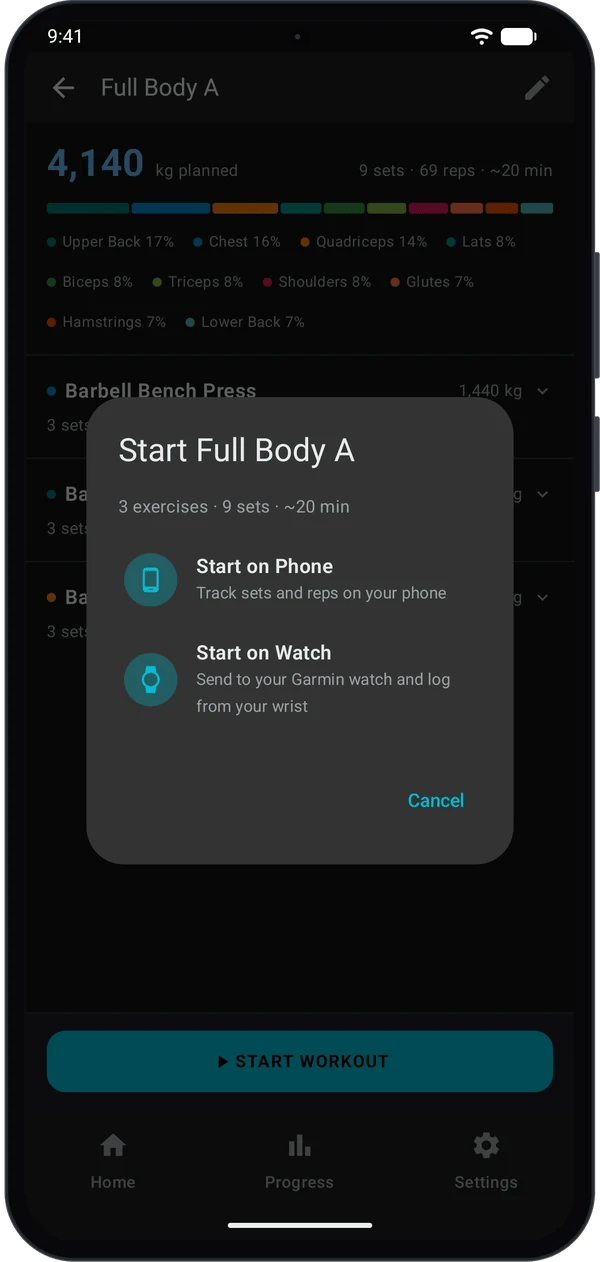
Your watch opens that routine and shows the first exercise.
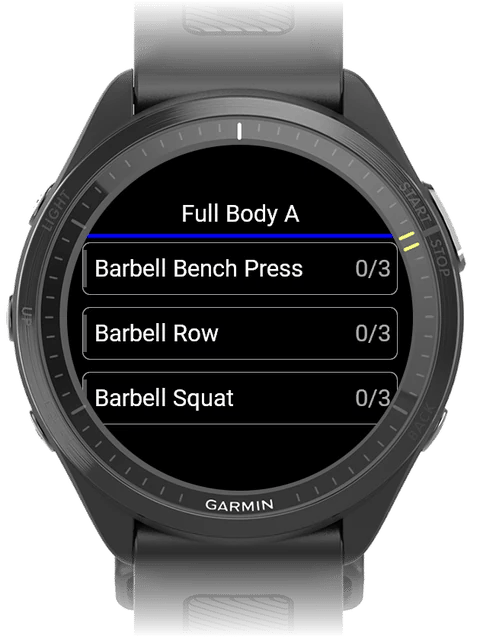
4
Log your first set
- On the watch, select an exercise.
- Enter reps and weight.
- Save the set. The rest timer starts.
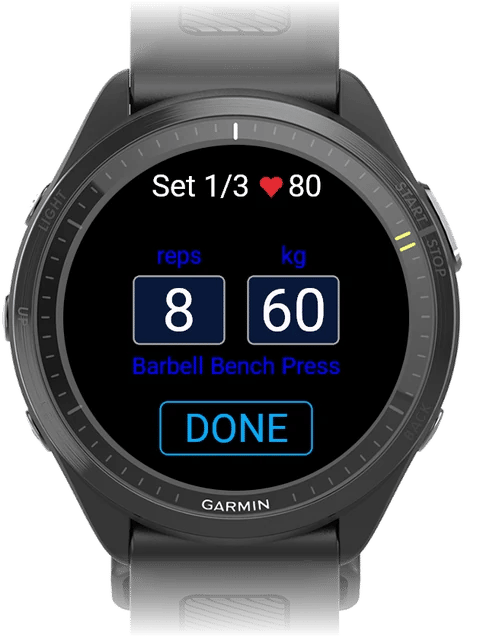
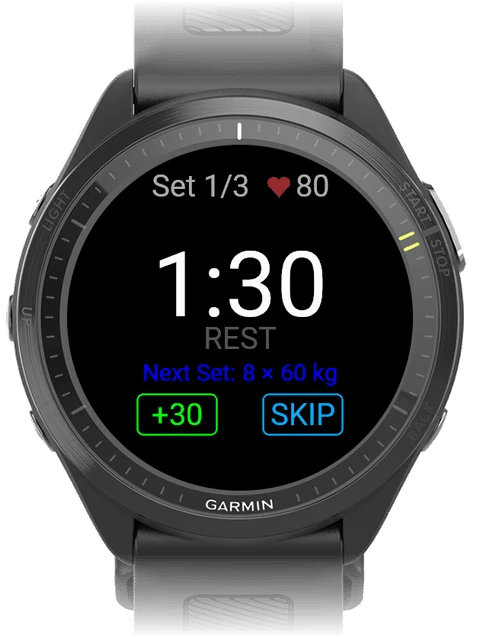
Your phone updates in near real time.
5
Finish or discard the workout
- On the watch, return to the exercise list.
- Press the Back button.
- Choose Save to finish or Discard to cancel.
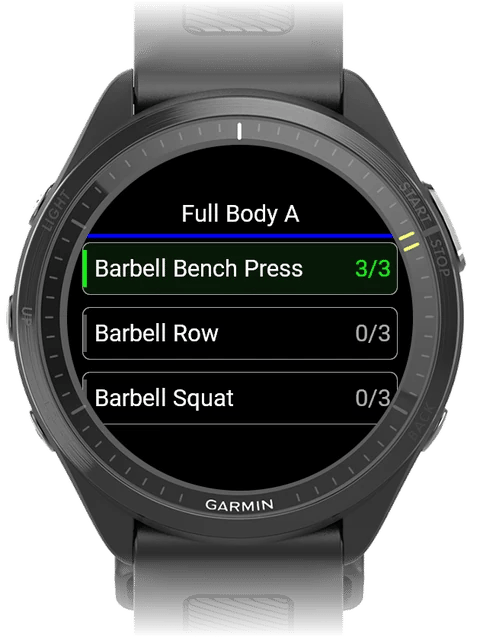
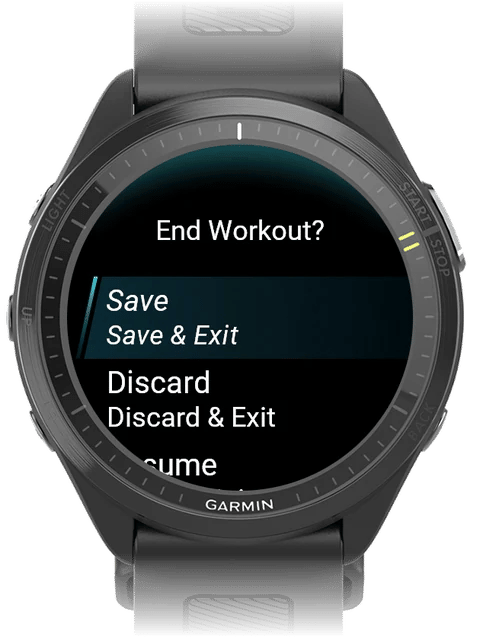
Kilo mirrors that same final state on your phone.
Quick fixes
Routine not sending
Routine not sending
Check Bluetooth, keep both devices nearby, then retry.
Still not connecting
Still not connecting
Fully close and reopen Garmin Connect, then send again.
Next steps
Log a workout on your watch
Learn every screen and button in the Kilo watch app.
Build a training program
Move beyond one-off routines to a structured multi-week plan.
Import your history
Coming from Strong or Hevy? Bring your logs with you.