Settings and personal details
Themes
How do I change the theme or accent colour?
How do I change the theme or accent colour?
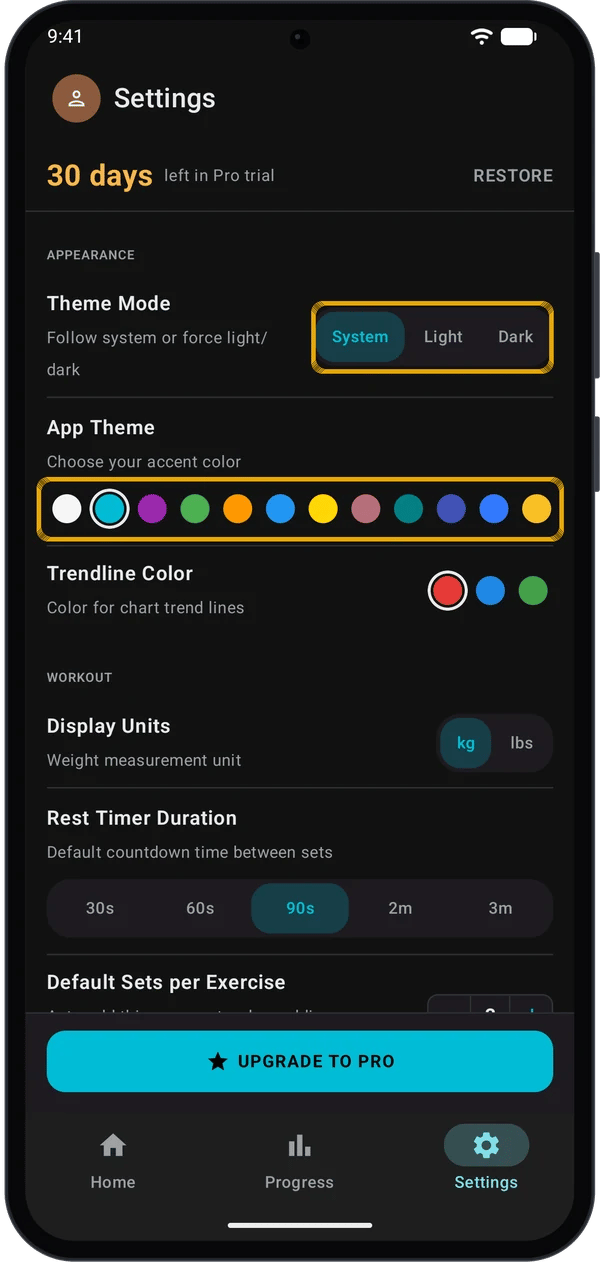
- Go to Settings → APPEARANCE.
- Under Theme Mode, tap System, Light or Dark. System follows your phone.
- Under App Theme, tap a colour dot. The change applies at once.
Why do I see different colours in light mode?
Why do I see different colours in light mode?
How do I change the colour of chart trendlines?
How do I change the colour of chart trendlines?
Units
How do I switch between kg and lbs?
How do I switch between kg and lbs?
Are my old weights converted when I switch?
Are my old weights converted when I switch?
What else changes with the unit?
What else changes with the unit?
Does Display Units change the weight in my profile?
Does Display Units change the weight in my profile?
Custom exercises and favourites
How do I create my own exercise?
How do I create my own exercise?
- In the exercise picker, tap CREATE at the top right.
- Go to Progress → Exercises, scroll to the end of the list and tap + CREATE EXERCISE.
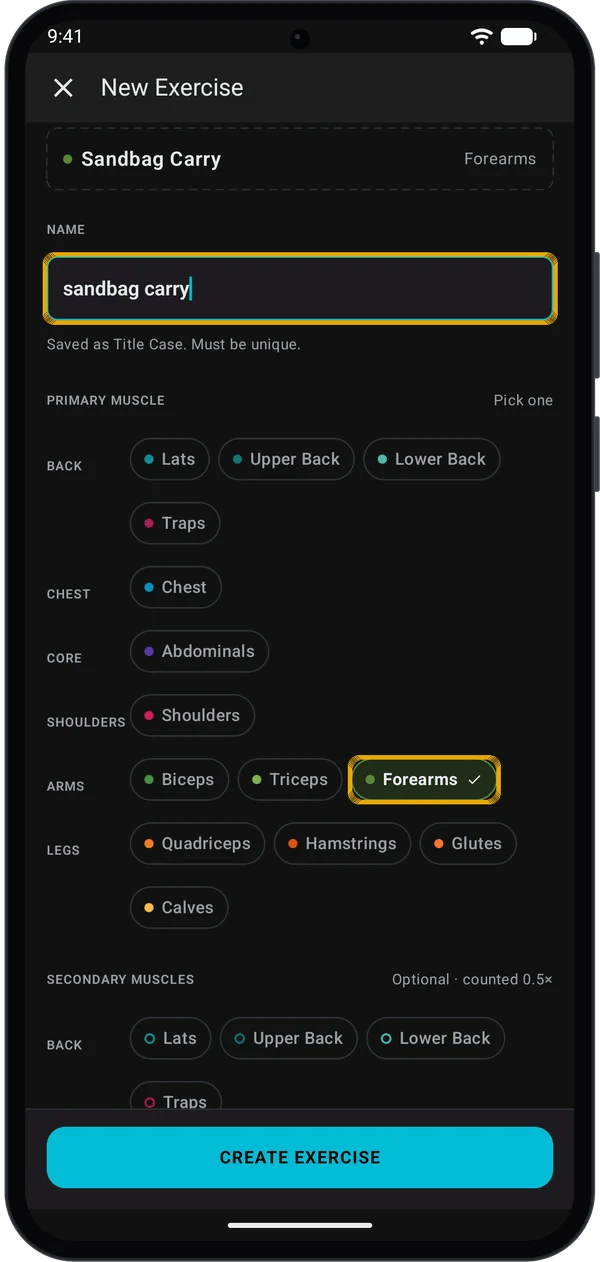
- Type a name.
- Under PRIMARY MUSCLE, pick one muscle.
- Optional: under SECONDARY MUSCLES, pick more muscles.
- Tap CREATE EXERCISE.
What are the rules for names and muscles?
What are the rules for names and muscles?
- Kilo saves the name in Title Case, for example Sandbag Carry.
- The name must be unique. Capital letters do not count, so landmine press clashes with Landmine Press. Kilo then shows An exercise with this name already exists.
- You must pick one primary muscle. CREATE EXERCISE stays grey until you do.
- Secondary muscles are optional. Each one counts for half the volume (0.5×). See Track Your Progress.
How do I edit or delete an exercise?
How do I edit or delete an exercise?
- In Progress → Exercises or in the exercise picker, long-press the exercise.
- Tap Edit exercise or Delete.
What happens to my logged sets if I delete an exercise?
What happens to my logged sets if I delete an exercise?
How do I mark a favourite?
How do I mark a favourite?
Profile
How do I set my name, photo, age, height and weight?
How do I set my name, photo, age, height and weight?
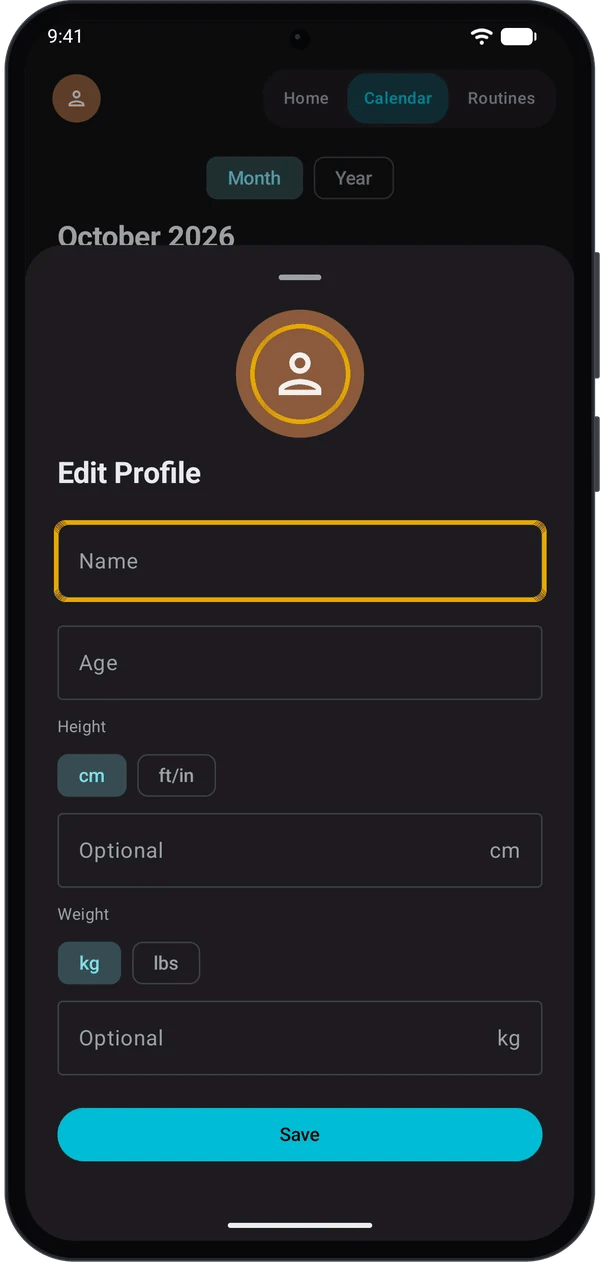
- Tap the round avatar at the top left. It is on Home, Progress and Settings.
- Tap the avatar in the sheet to pick a photo. Remove photo shows once you have one.
- Enter your Name. The other fields are optional.
- For Height, tap cm or ft/in. For Weight, tap kg or lbs.
- Tap Save.
What are these details used for?
What are these details used for?
Are my profile details in a backup?
Are my profile details in a backup?
Privacy
Is it on or off by default?
Is it on or off by default?
Where is the privacy policy?
Where is the privacy policy?
Help and feedback
Where do I ask for help or send feedback?
Where do I ask for help or send feedback?
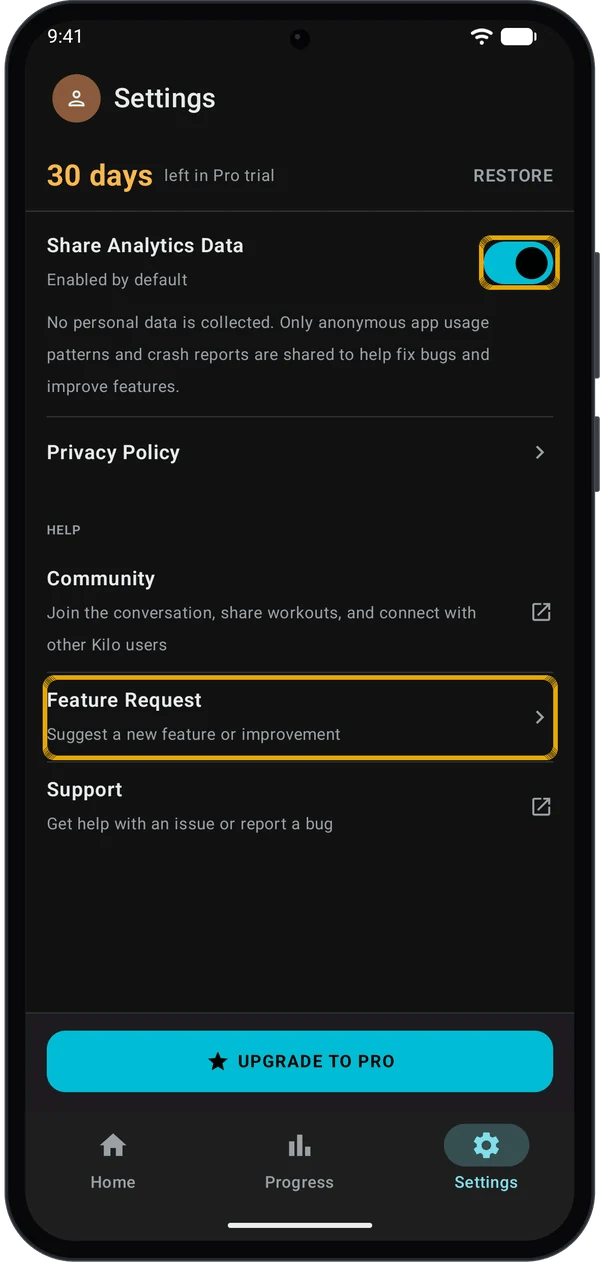
How does the Feature Request form work?
How does the Feature Request form work?
Support did not open an email
Support did not open an email
Watch app update prompt
Why does Kilo say Watch app update available?
Why does Kilo say Watch app update available?
Why do I not see it?
Why do I not see it?
Topics with a full guide
Workouts and streaks
How does the weekly streak work?
How does the weekly streak work?
How do I set the rest timer?
How do I set the rest timer?
What are warm-up, drop and failure sets, and supersets?
What are warm-up, drop and failure sets, and supersets?
Can I edit or delete a past workout?
Can I edit or delete a past workout?
Programs
How do I start a training program?
How do I start a training program?
Can I change an exercise in a program?
Can I change an exercise in a program?
How does Kilo choose my weights?
How does Kilo choose my weights?
Free and Pro
How many routines can I have on Free?
How many routines can I have on Free?
What else is limited on Free?
What else is limited on Free?
Backup, import and sync
How do I back up my data?
How do I back up my data?
Can I bring my history from another app?
Can I bring my history from another app?
My watch sets do not reach my phone
My watch sets do not reach my phone
How do I set up my watch?
How do I set up my watch?