Find a past workout
- Home → Home shows your last 5 workouts under RECENT WORKOUTS. Tap See All to go to the Calendar tab.
- Home → Calendar shows all your workouts on a calendar.
1
Open the Calendar tab
Make sure Month is selected. Days with a workout have a dot. Swipe left or right to change the month.
2
Tap a day
The workouts for that day show under the calendar. Each card shows the start date and time, and coloured dots for the body regions you trained.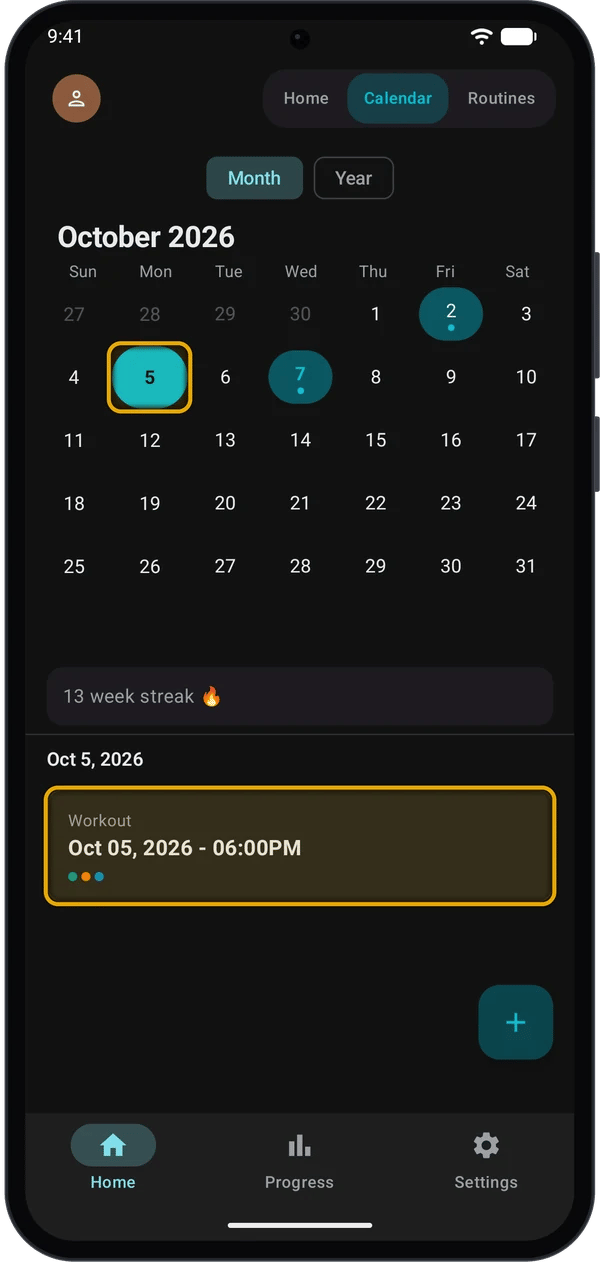
3
Tap the workout
The workout’s detail screen opens.
Month view goes back 2 years from the current month.
Your weekly streak
Under the month calendar, Kilo shows your streak, for example 13 week streak 🔥. A streak is the number of weeks in a row, Monday to Sunday, with at least one workout.- If you have not trained yet this week, the streak still counts from last week. It ends only when a full week has no workout.
- When you have no streak, the row does not show.
Read a workout’s details
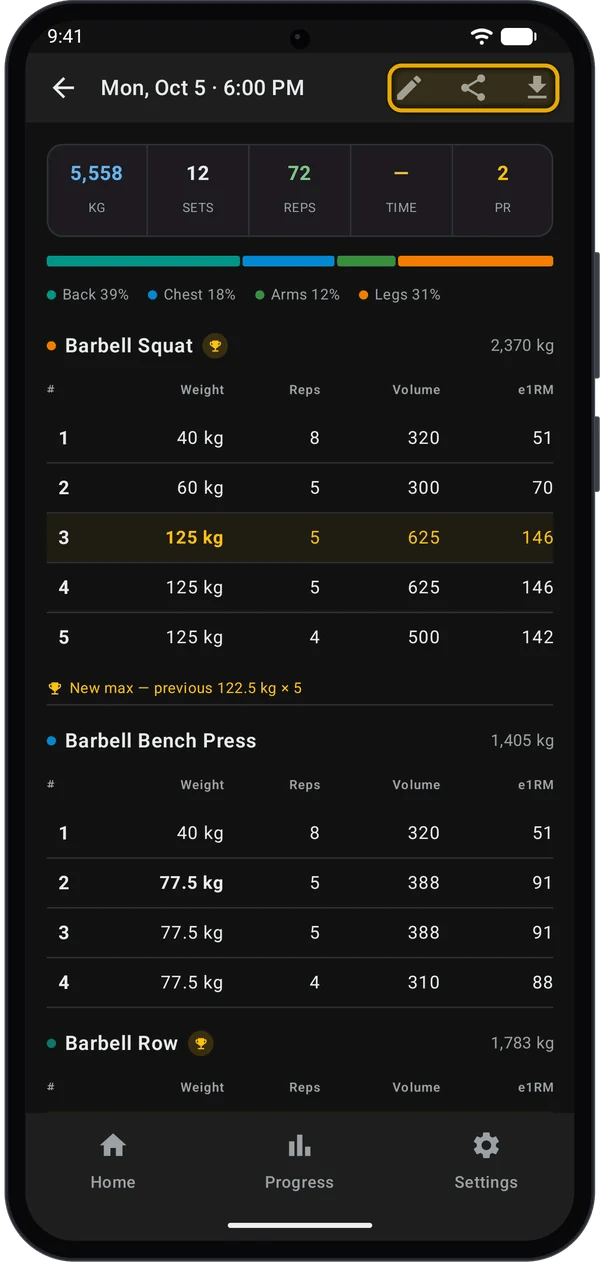
A set that set a PR has a gold row, and the exercise name has a trophy. Under the table, Kilo shows New max — previous 122.5 kg × 5, or New max if it is your first record for that exercise.
The icons in the top bar:
Edit a workout
1
Open edit mode
Open the workout and tap the pencil icon. EDITING shows in the top bar, and the weight and reps cells get a dashed underline.
2
Make your changes
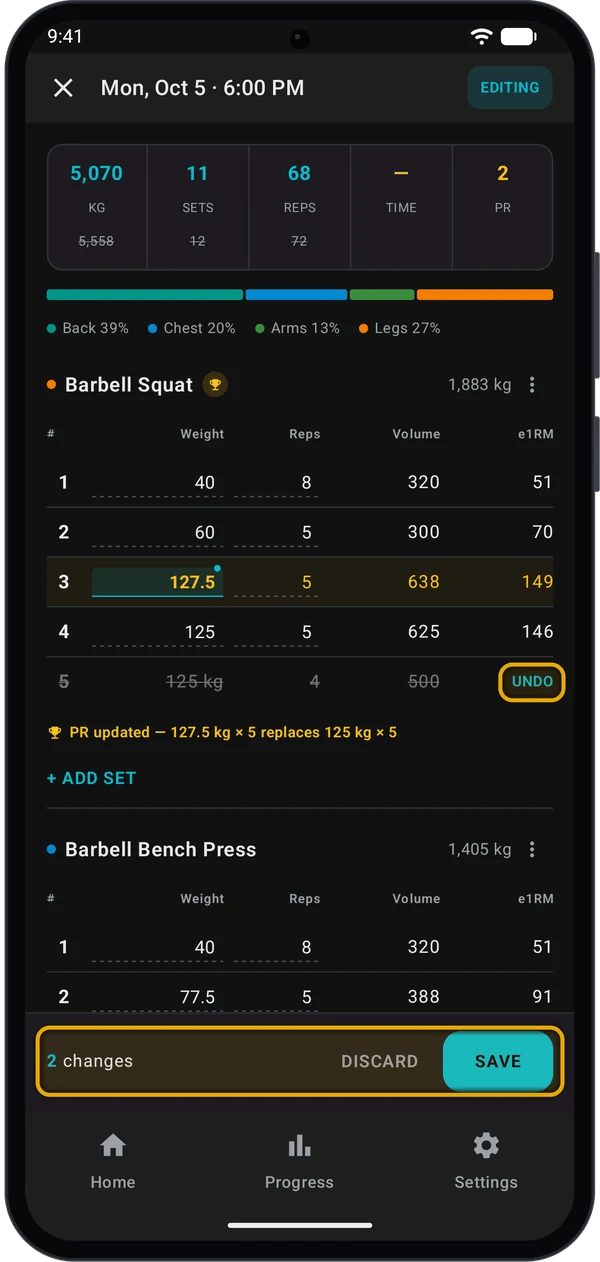
The totals at the top change as you edit. When a total changes, the old value shows struck through under it.
3
Save or discard
The bar at the bottom counts your changes, for example 2 changes.
- Tap SAVE to keep them. SAVE is grey until you change something.
- Tap DISCARD, or the X at the top left, to cancel. If you made changes, Kilo asks Discard changes? Tap Discard.
After SAVE, the pencil, share and download icons come back in the top bar.
Remove exercise has no UNDO. To bring the exercise back, tap DISCARD and start again.
How edits change your PRs
Kilo keeps one record per exercise: your heaviest weight. If two sets have the same weight, the set with more reps wins. While you edit, Kilo shows what your changes will do under each exercise:- PR updated — 127.5 kg × 5 replaces 125 kg × 5: you changed this workout’s record set.
- New max — previous 122.5 kg × 5: after your edit, this workout beats the record that stood before it.
PRs during a workout
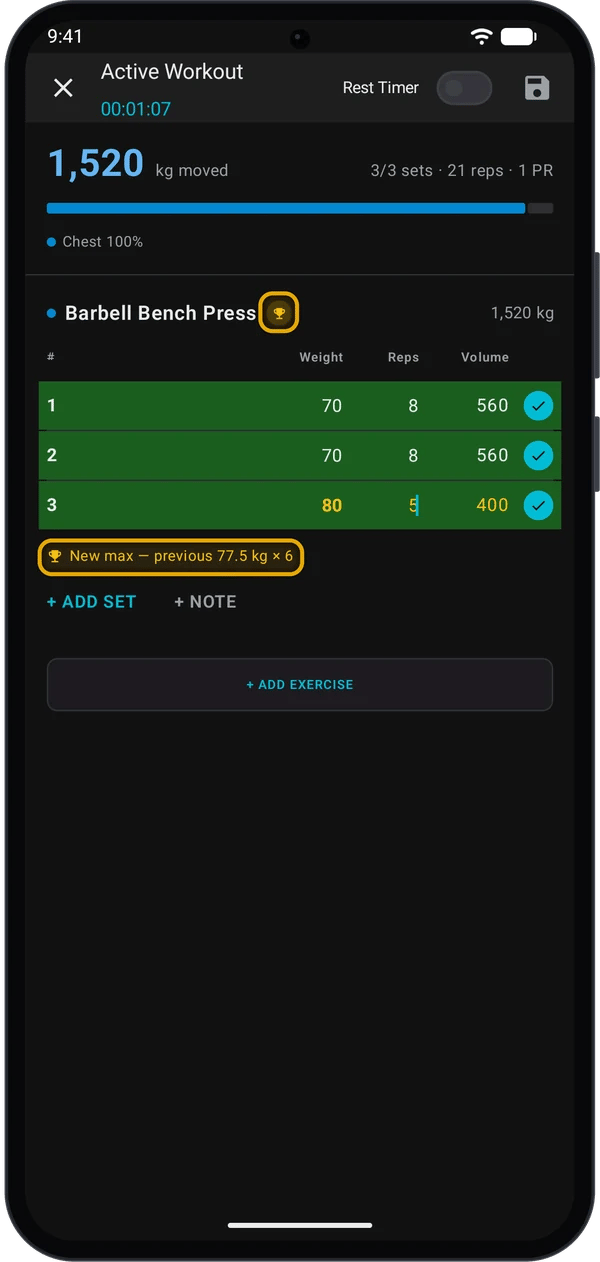
When you tick a set that beats your record, Kilo shows it straight away:- A trophy next to the exercise name.
- The record set in gold.
- New max — previous 77.5 kg × 6 under the sets, or New max for a first record.
- The PR count at the top, for example 3/3 sets · 21 reps · 1 PR.
The workout report
When you save a workout, Kilo opens Workout Complete. It shows:- Duration, Total Volume, Total Reps and Total Exercises.
- Best Lift: your heaviest set.
- New PRs!: each new record, with an estimated 1RM.
- Volume by Body Region. Tap the chart to see Volume by Muscle Group.
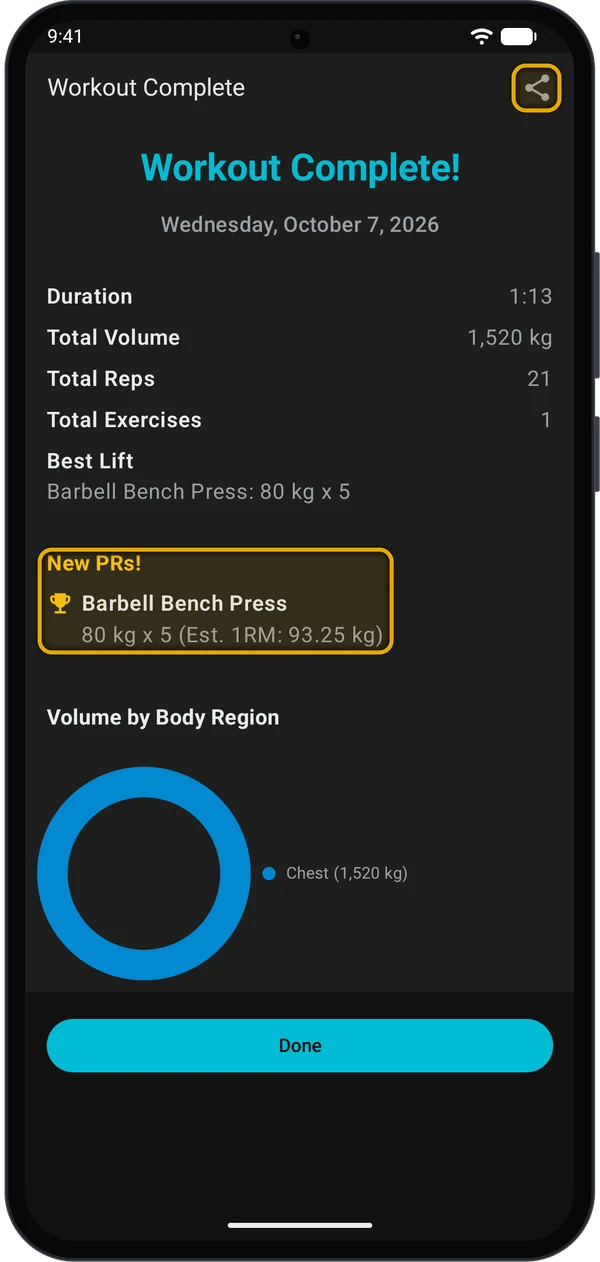
You cannot open this report again after you tap Done. To share a past workout, use the share icon on its detail screen.
Share a workout
1
Tap the share icon
- On Workout Complete, tap the share icon at the top right.
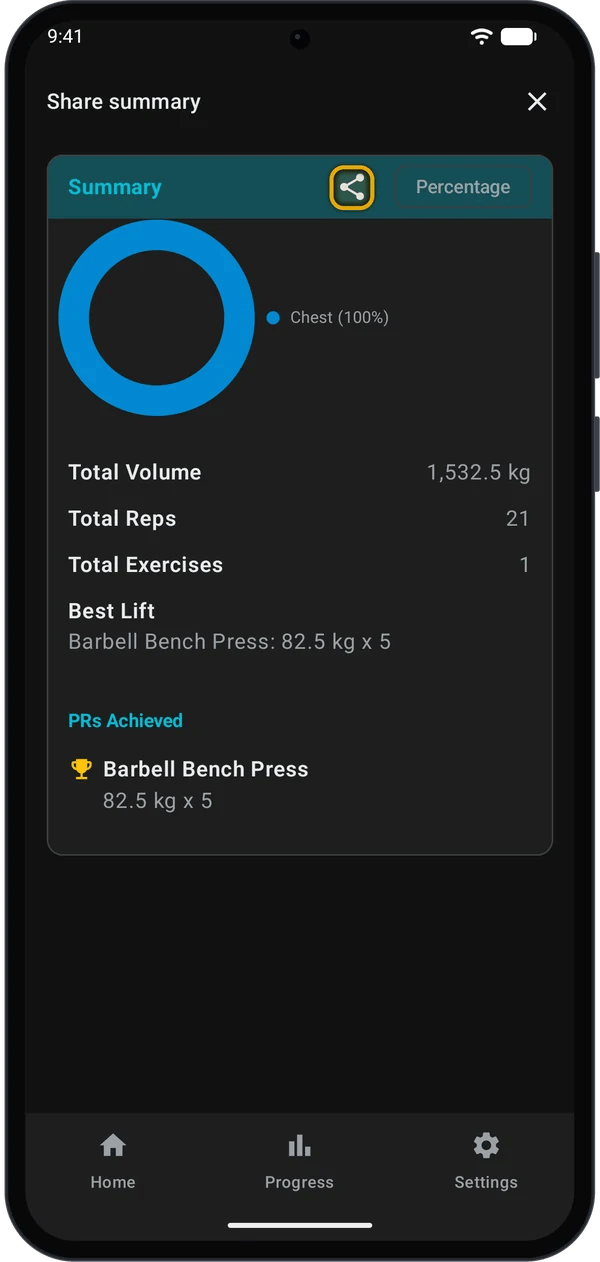
- For a past workout, open it and tap the share icon. Share summary opens. Tap the share icon on the Summary card.
2
Pick a background
Share Workout Report opens: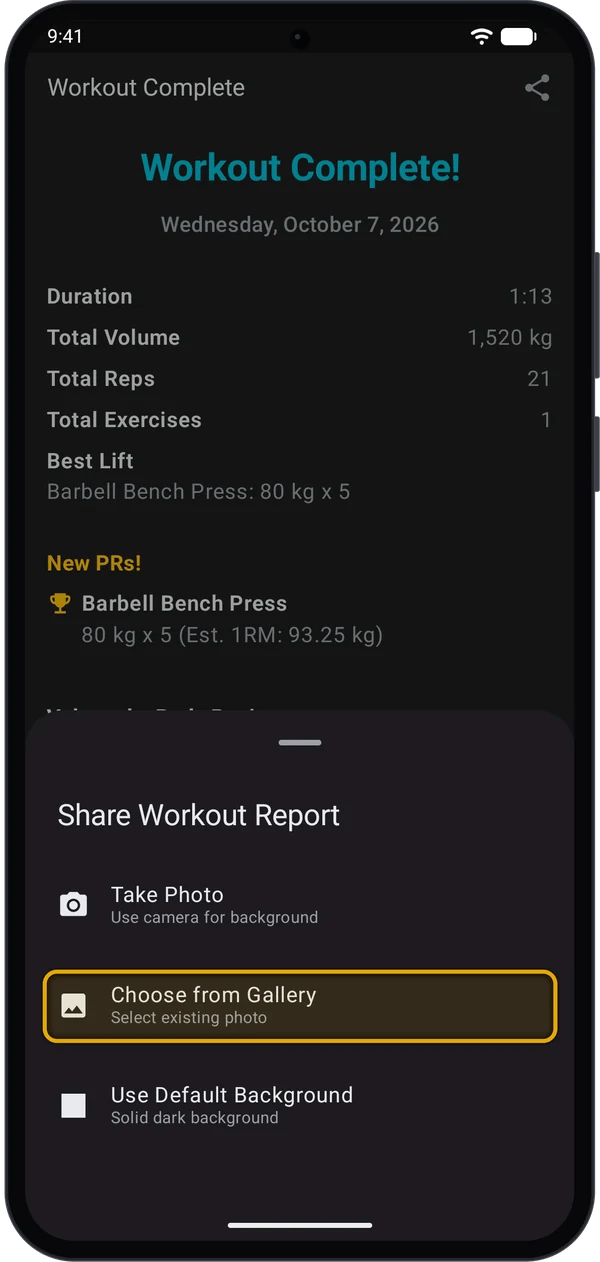
- Take Photo: take a photo with your camera.
- Choose from Gallery: pick a photo on your phone.
- Use Default Background: a solid dark background. Android’s share menu opens straight away.
3
Check the preview and share
With a photo, Kilo shows a preview of the image. Tap Share, then pick an app.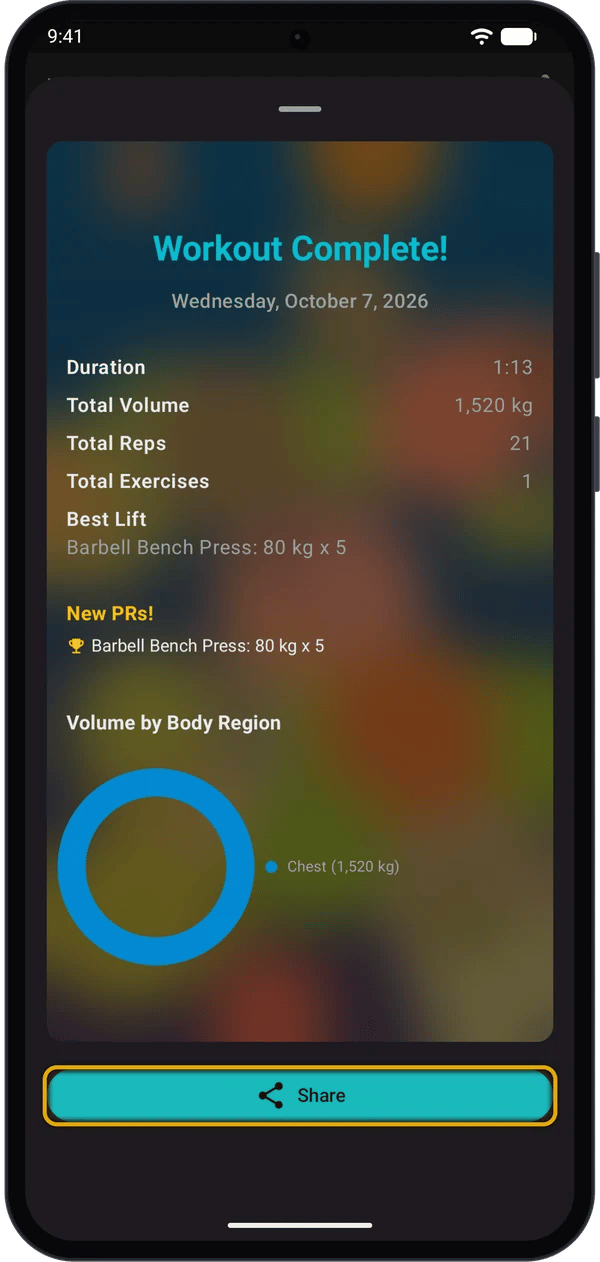
Delete workouts
1
Select a workout
Go to Home → Calendar and tap the day. Long-press a workout card. The card is highlighted, and the + button changes to a red delete button.
2
Select more workouts
Tap other workout cards to add them. Tap a selected card again to clear it. If you clear all the cards, the delete button goes away.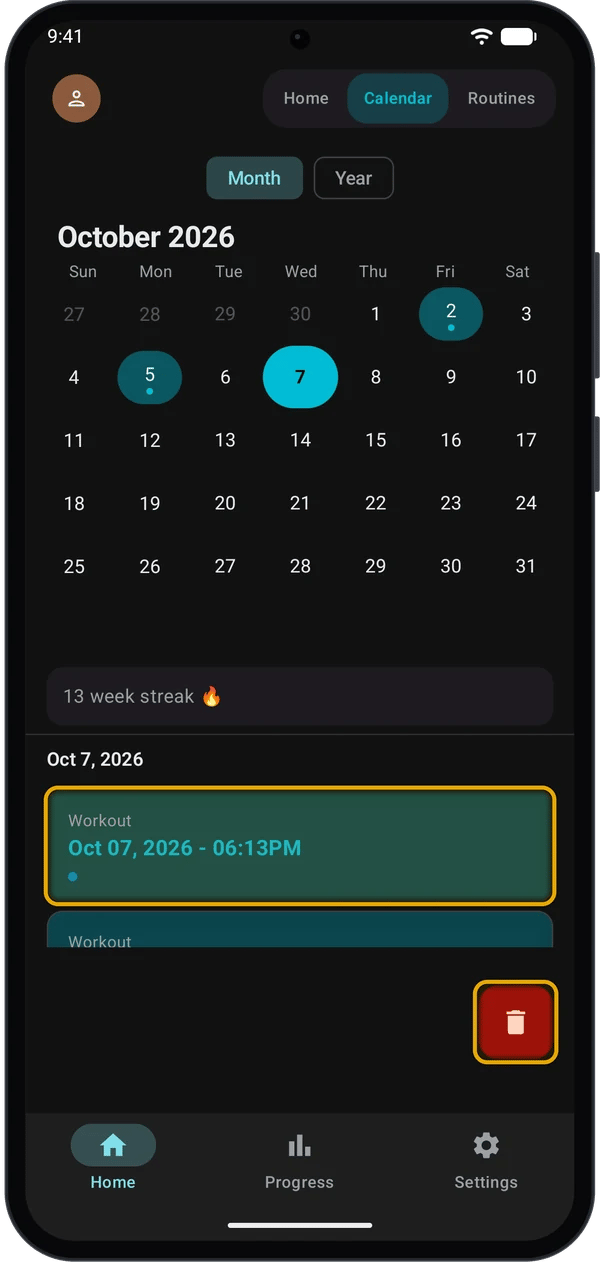
3
Tap the delete button
Kilo deletes the selected workouts and their sets.
The workouts are gone from the day’s list.
Quick fixes
Tapping a month in Year view shows the wrong month
Tapping a month in Year view shows the wrong month
Kilo goes to Month view but stays on the current month. Swipe right to go back to the month you want, then tap the day.
I cannot find a very old workout in the calendar
I cannot find a very old workout in the calendar
Month view goes back 2 years from the current month.
SAVE is grey
SAVE is grey
You have not changed anything yet. The bar shows No changes.
A workout opens in edit mode with changes I did not make
A workout opens in edit mode with changes I did not make
You left edit mode earlier with the Back button. Tap DISCARD, then Discard.
The trophy did not move after I saved
The trophy did not move after I saved
The gold row, the trophy and the PR count can stay as they were until you open the workout again. Go back, then open it again.
I do not see PR counts in the Calendar
I do not see PR counts in the Calendar
PR counts show on Home under RECENT WORKOUTS and on each workout’s detail screen.
My streak does not show
My streak does not show
The streak shows only in Month view, and only if you have a workout this week or last week.
Next steps
Supersets and set types
Mark warm-up, drop and failure sets.
Track your progress
See your lifts, records and weekly volume.