Set your workout preferences
Go to Settings → WORKOUT.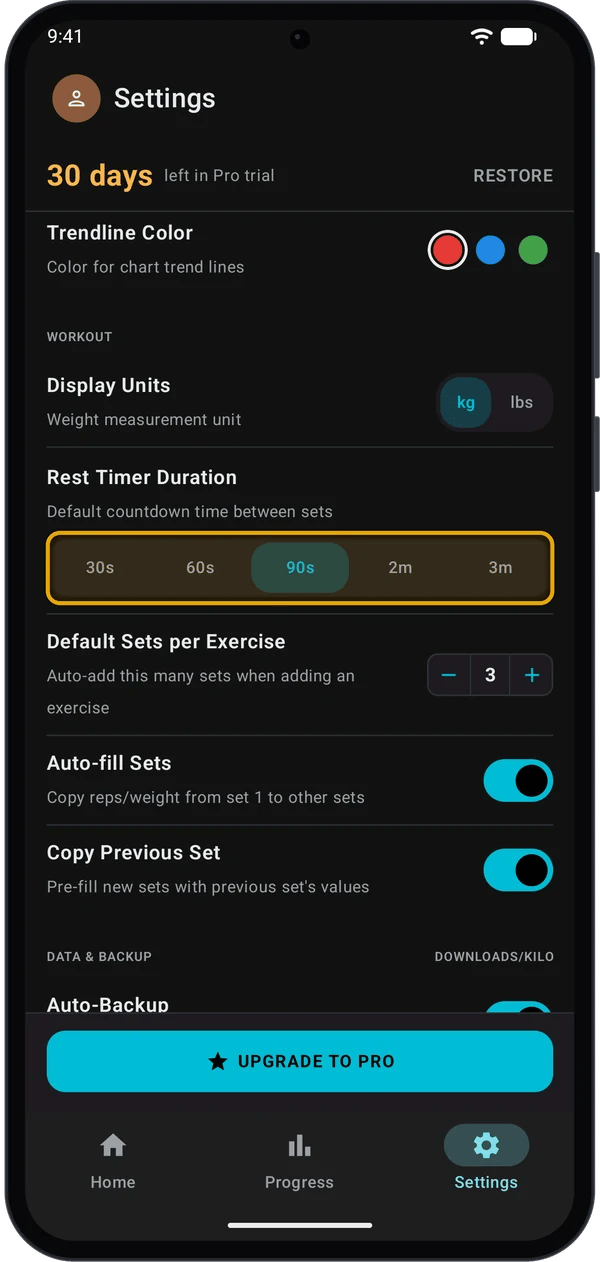
Use the rest timer
1
Turn the timer on
In the Active Workout top bar, turn on the Rest Timer switch. Kilo keeps this choice for your next workouts.
2
Tick a set
Tap the circle at the end of a set row. The REST countdown opens at the bottom of the screen.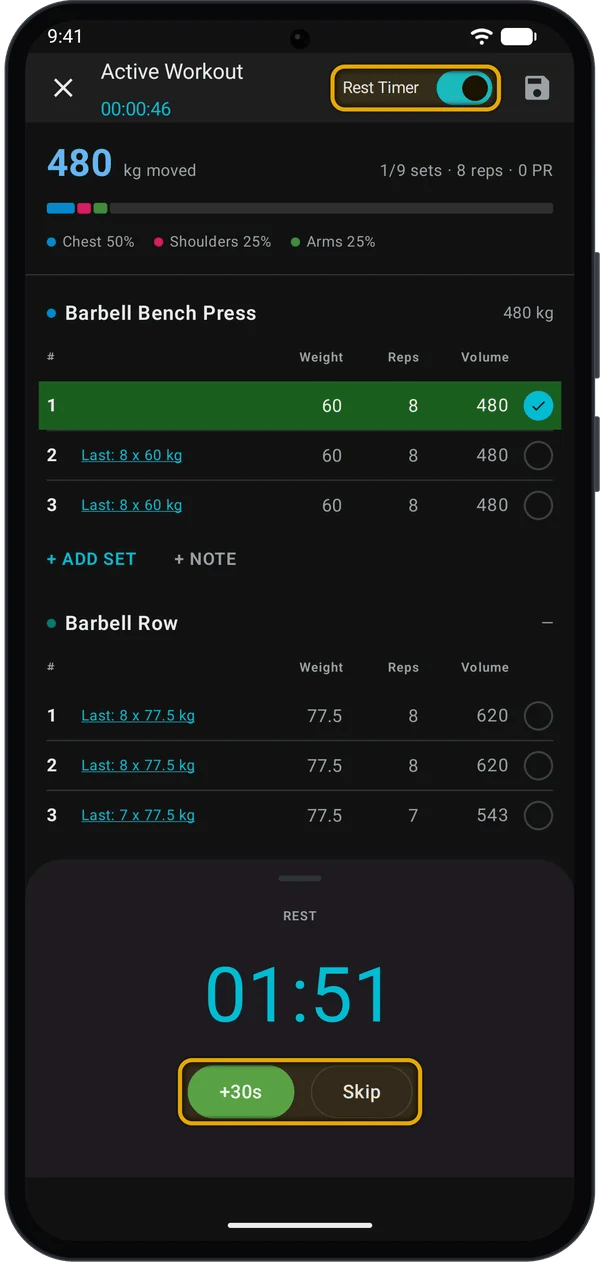
3
Change or stop the countdown
- Tap +30s to add 30 seconds.
- Tap Skip, or press your phone’s Back button, to close the timer.
- When the next set is a Drop Set (D). It starts after the drop set.
- In a superset, until you tick a set of the last exercise in the superset.
- When you untick a set.
The Rest Timer in a routine’s Routine Settings sets the rest time Kilo sends to your Garmin watch. Workouts on your phone use Rest Timer Duration from Settings.
Copy last session’s numbers
Each set that is not ticked shows a Last: hint, for example Last: 8 x 77.5 kg. It comes from the same set in the most recent finished workout with this exercise. Tap any Last: hint. Kilo fills every unticked set of that exercise with last session’s values, set by set.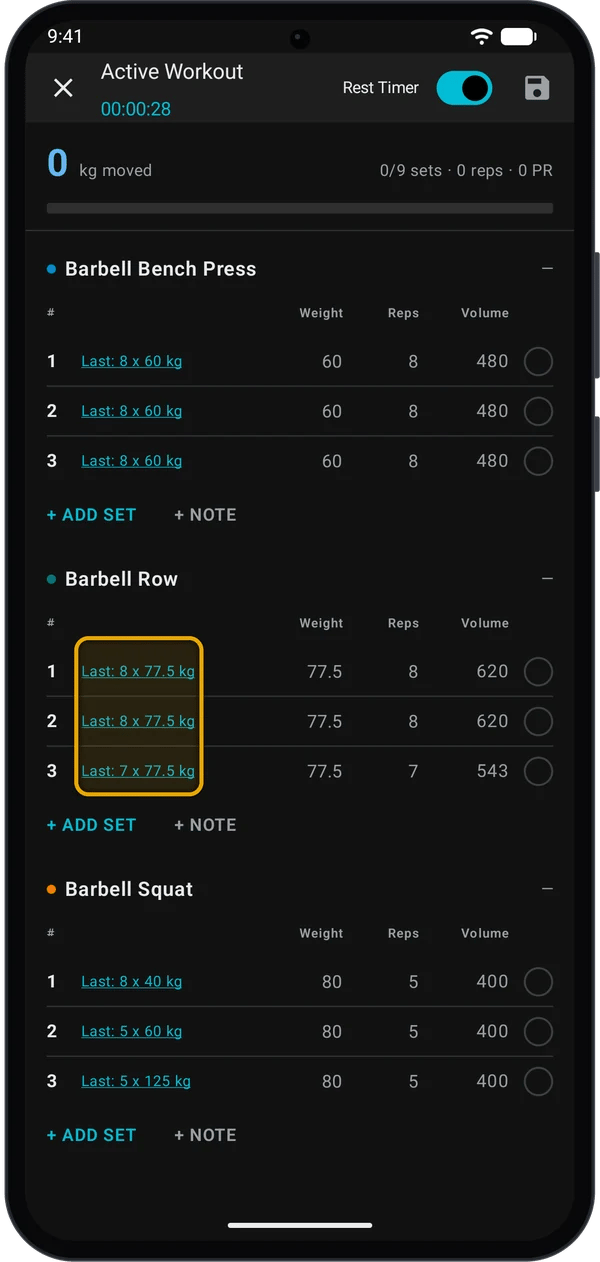
Load the bar with the plate calculator
1
Open the calculator
Tap a weight field. A Calculator button shows above the keyboard. Tap it.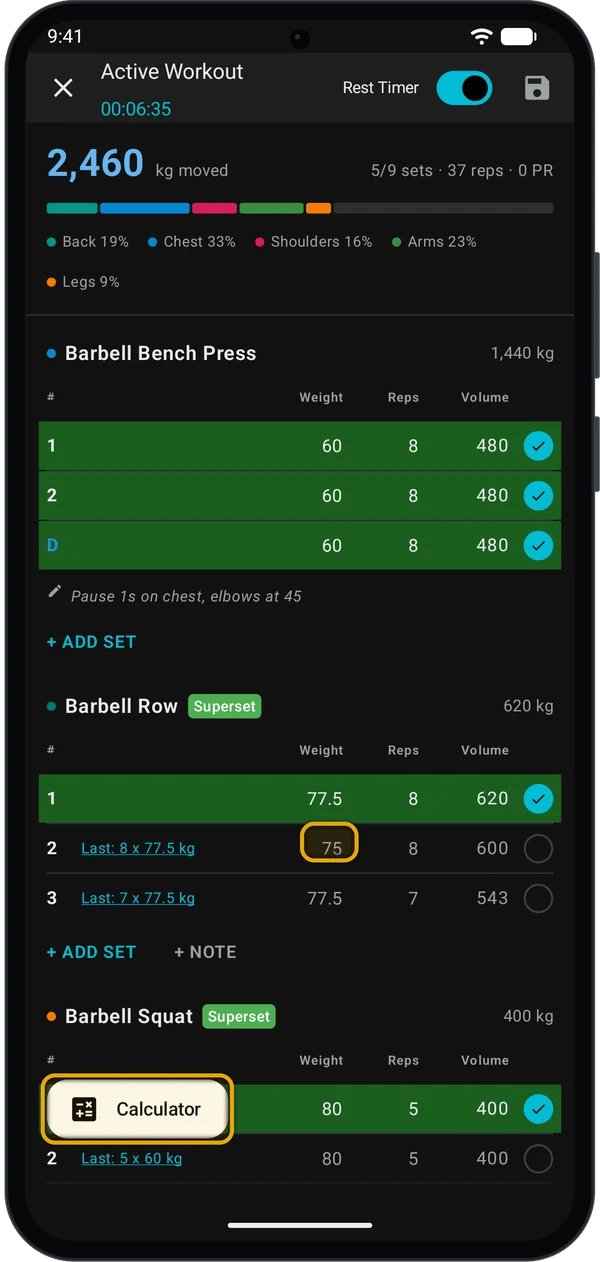
2
Read the plates
Plate Calculator opens with the weight from the field. It shows the bar and the plates for one side, heaviest first, and the Total.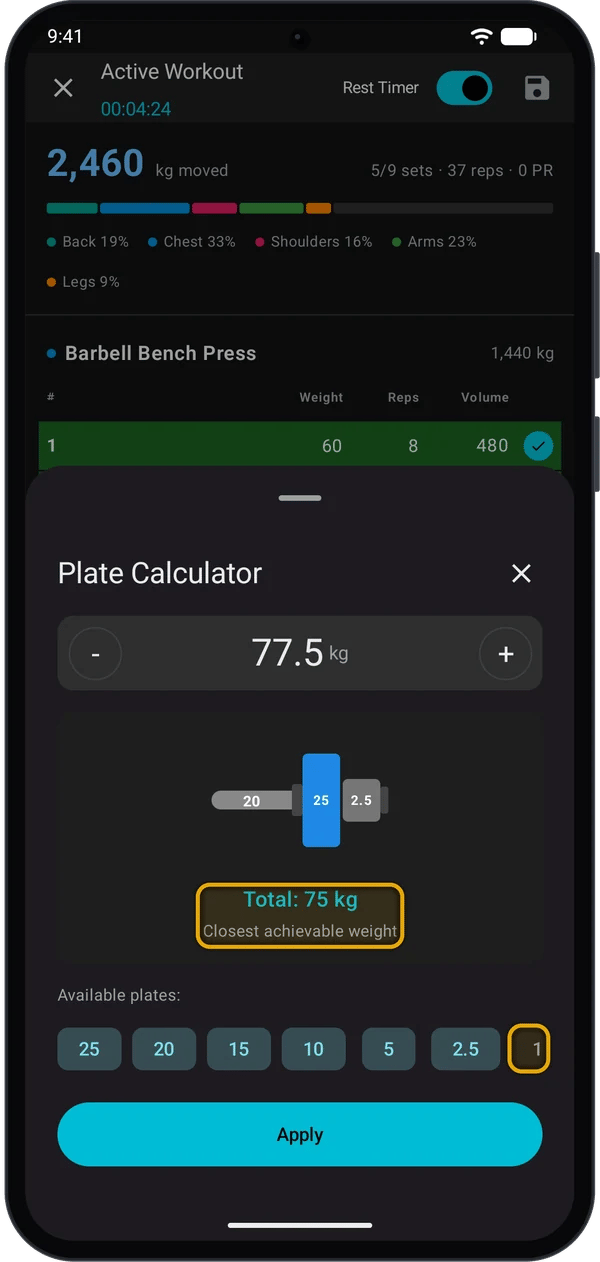
- Tap - or + to change the target by 2.5 kg (5 lbs).
- Under Available plates, tap a plate size to turn it off if you do not have it. Tap it again to turn it back on. All sizes are on each time you open the calculator.
3
Apply the weight
Tap Apply. The Total goes into the weight field.
Add a note to an exercise
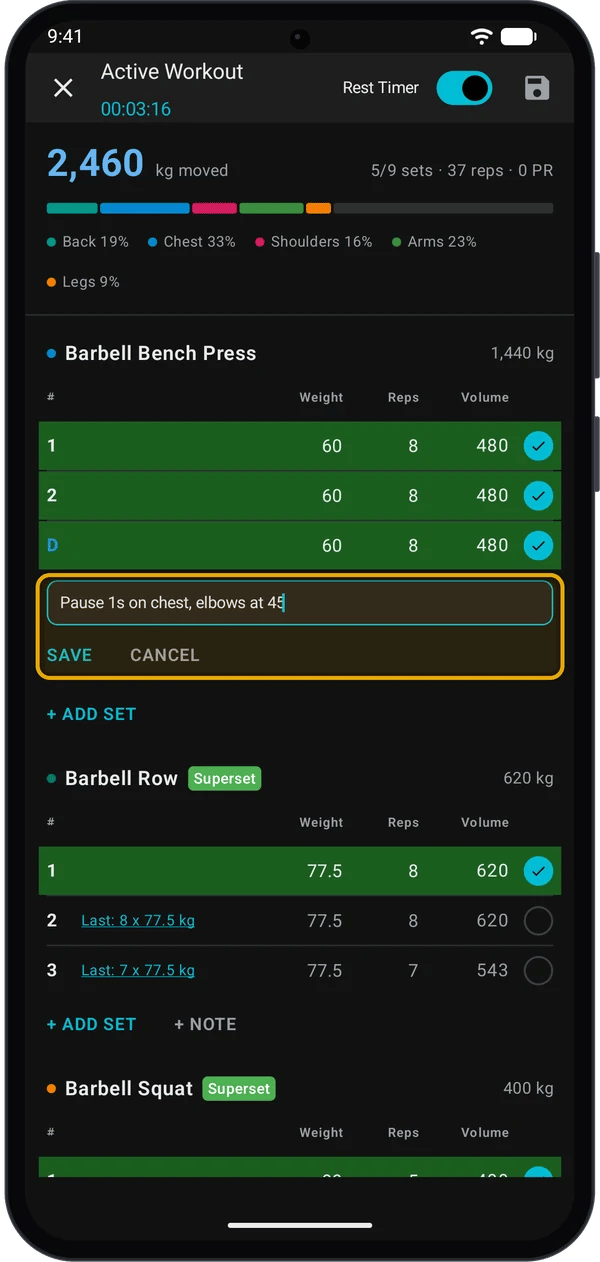
- Under the exercise, tap + NOTE.
- Type a cue, for example your grip or tempo.
- Tap SAVE.
If Kilo closes during a workout
While a workout runs, Android shows a Workout in progress notification. Tap it to open Kilo. If Android closes Kilo during a workout, Kilo asks about it the next time you open the app. Tap Continue to go back to the workout, or Discard to delete it.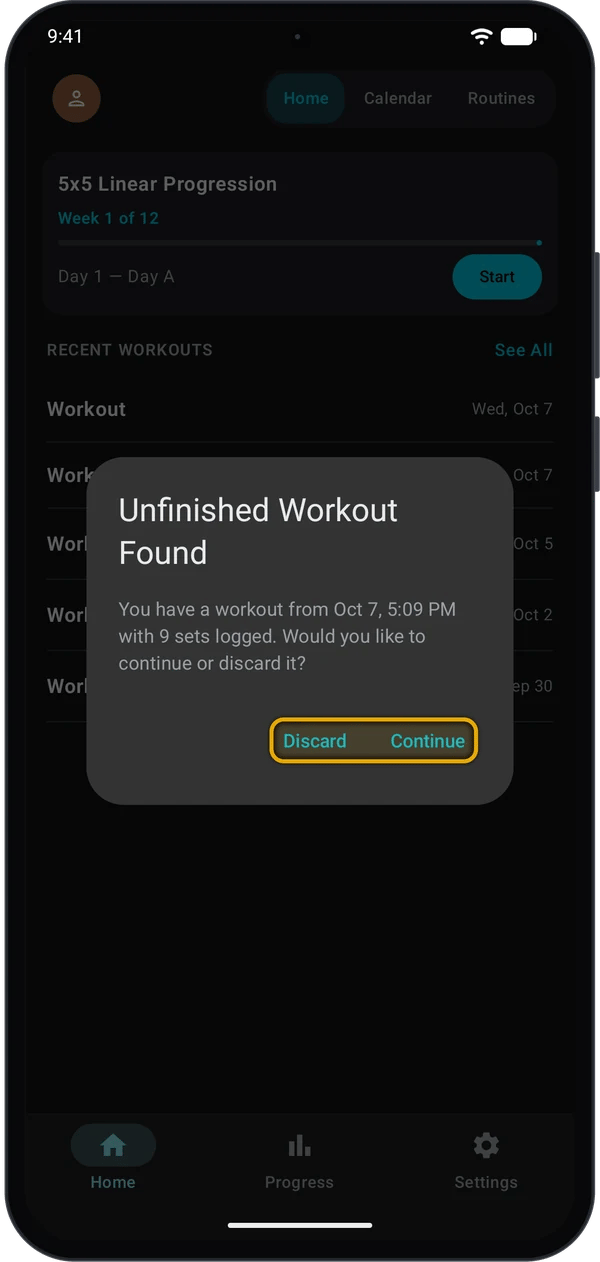
If a workout has had no activity for more than 24 hours, Kilo deletes it and does not ask.
Quick fixes
The rest timer does not start
The rest timer does not start
Check that the Rest Timer switch in the top bar is on. The timer also waits when the next set is a drop set, or when the next exercise is in the same superset.
The rest timer length is wrong
The rest timer length is wrong
Phone workouts use Settings → WORKOUT → Rest Timer Duration. The routine’s own rest time is for the watch.
The calculator shows the wrong plates
The calculator shows the wrong plates
Check Display Units in Settings. kg uses a 20 kg bar; lbs uses a 45 lbs bar.
Apply is grey
Apply is grey
The target is the bar weight or less, so there are no plates to load. If it is less, Kilo shows Weight is less than barbell. Type the weight in the field instead.
No Last: hint on a set
No Last: hint on a set
The hint shows only on unticked sets, and only after you finish a workout that has this exercise.
Next steps
Track your progress
See your lifts, records and weekly volume.
Build a training program
Let Kilo plan your sessions and raise your weights.