> ## Documentation Index
> Fetch the complete documentation index at: https://thekiloapp.com/help/llms.txt
> Use this file to discover all available pages before exploring further.
# Supersets and Set Types (Warm-up, Drop, Failure)
> Mark sets as warm-up, drop or failure sets, and group exercises into supersets in a routine or an active workout on your phone.
Set types tell Kilo what kind of set you did. Supersets group exercises that you do back to back. You can set both in the routine editor and in an **Active Workout**.
## Set types
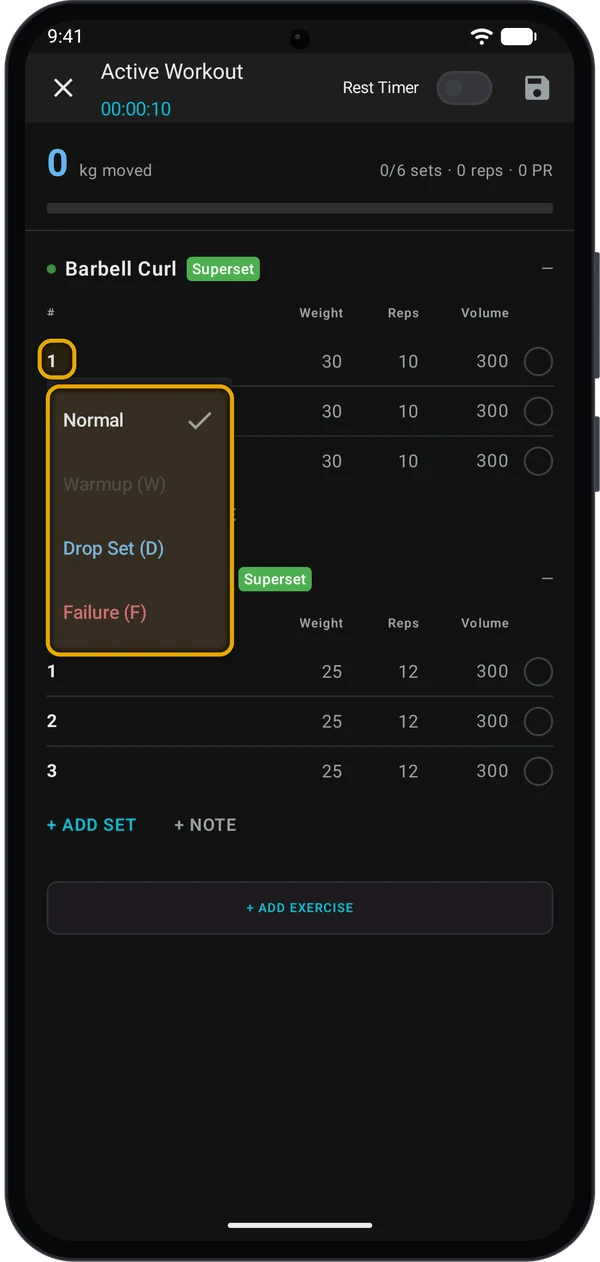
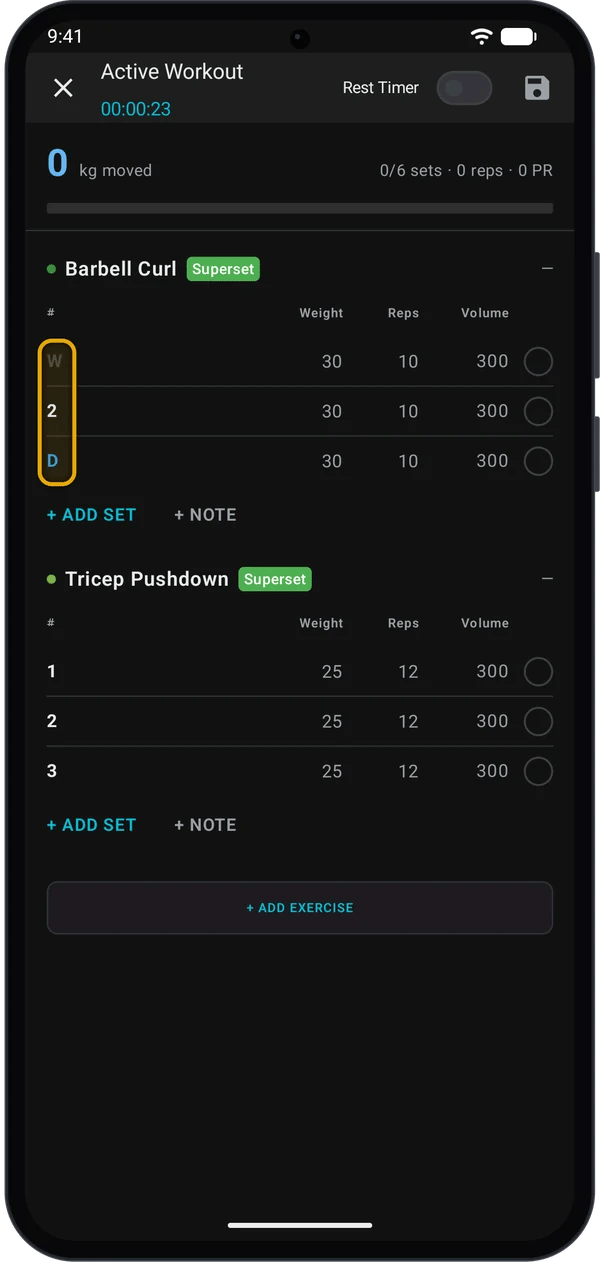
| Label | Type | Colour |
| - | - | - |
| Set number | **Normal** | White |
| **W** | **Warmup (W)** | Grey |
| **D** | **Drop Set (D)** | Blue |
| **F** | **Failure (F)** | Red |
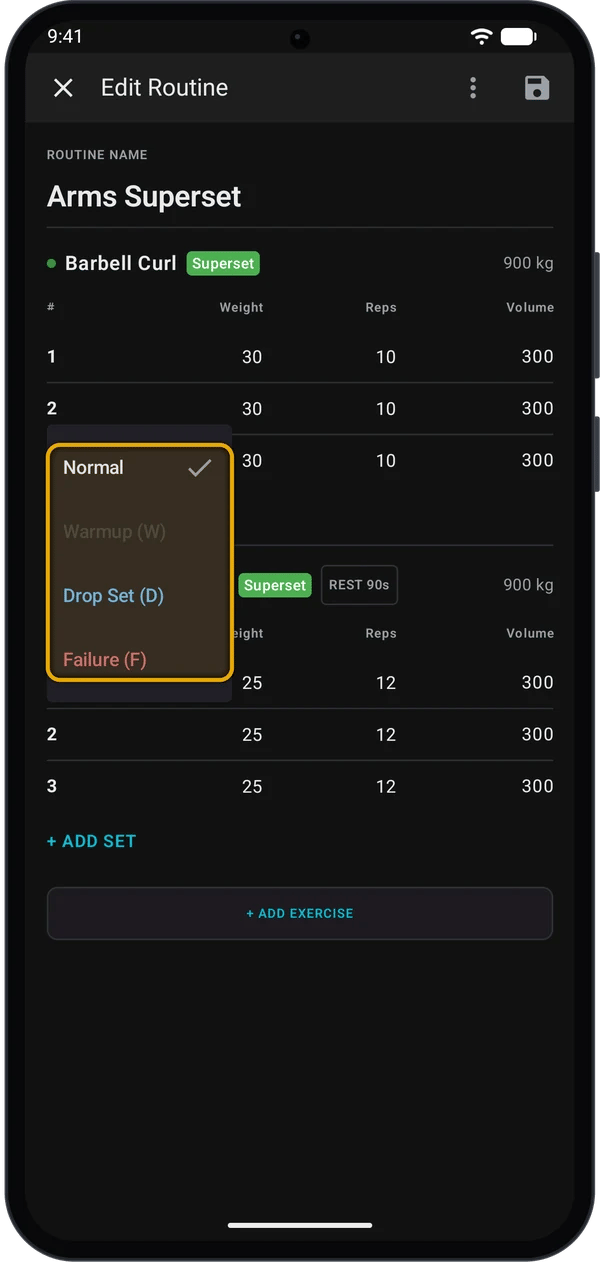
In the **Active Workout** screen, tap the number at the start of a set row. The same number works in the routine editor and when you edit a past workout.
Tap **Normal**, **Warmup (W)**, **Drop Set (D)** or **Failure (F)**. The set number changes to the letter.
### What each type changes
* **Rest timer.** The timer does not start when the next set in the exercise is a **Drop Set (D)**. It starts after the drop set.
* **Program progression.** Kilo ignores **W** sets when it decides whether to raise your weight. **D** and **F** sets count. See [How Auto-Progression Works](/help/how-auto-progression-works).
* **Estimated 1RM.** The 1RM numbers on the **Progress** screens leave out **D** sets. In a workout's set table, **W** and **D** sets show no 1RM estimate.
* **Volume.** All ticked sets count toward volume, whatever their type.
* **Records.** Kilo picks your best set for a record by weight, then reps. The set type does not matter.
* **Watch.** Set types in a routine show on your Garmin watch. See [Log a workout on your Garmin watch](/help/log-workout-on-garmin-watch).
On the watch you tap the set line to go through the types in order. On the phone you pick from a menu.
## Supersets
In a superset, you do one set of each exercise in turn, then rest.
### Make a superset in an active workout
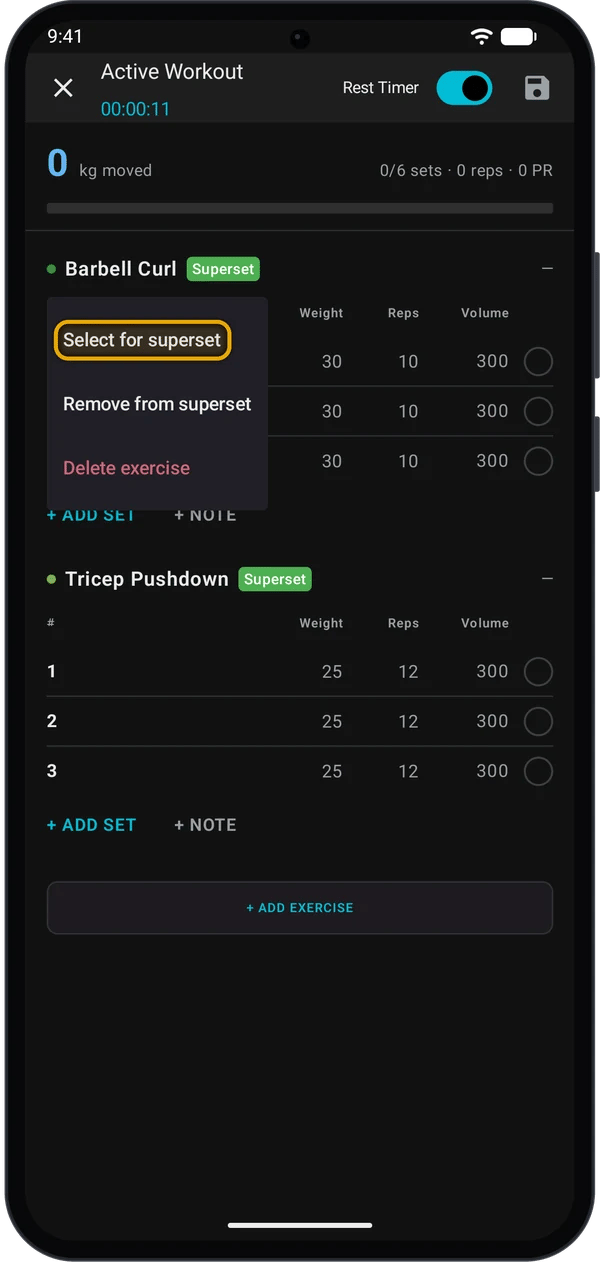
Long-press an exercise name, then tap **Select for superset**.
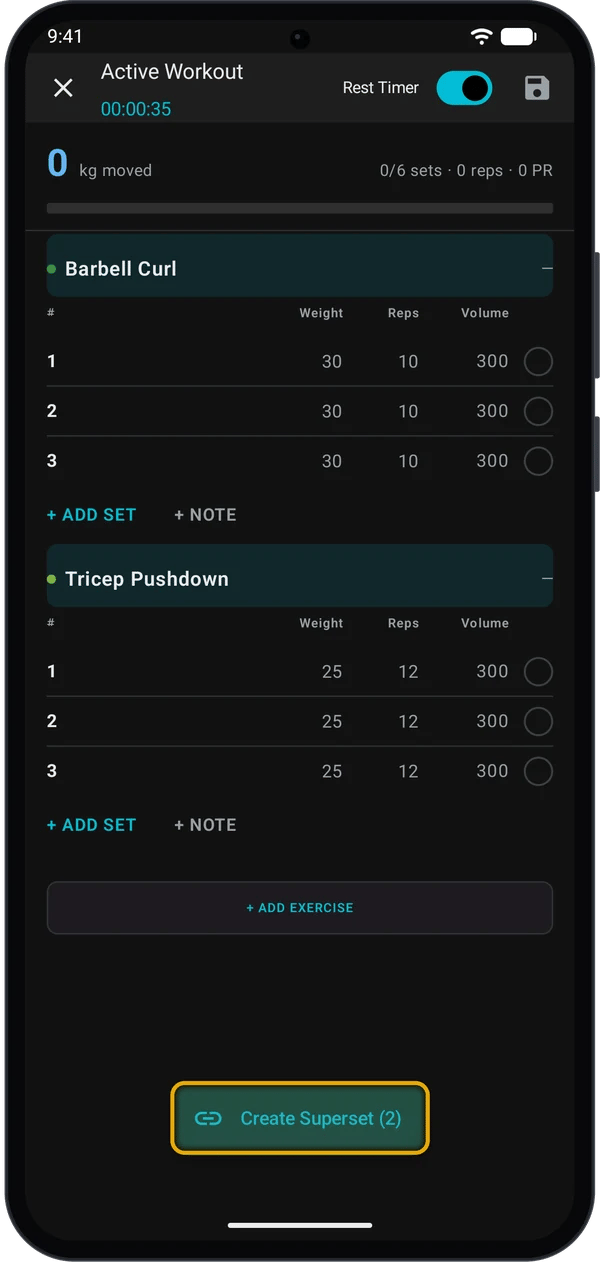
Tap the other exercises you want in the group. You need at least 2.
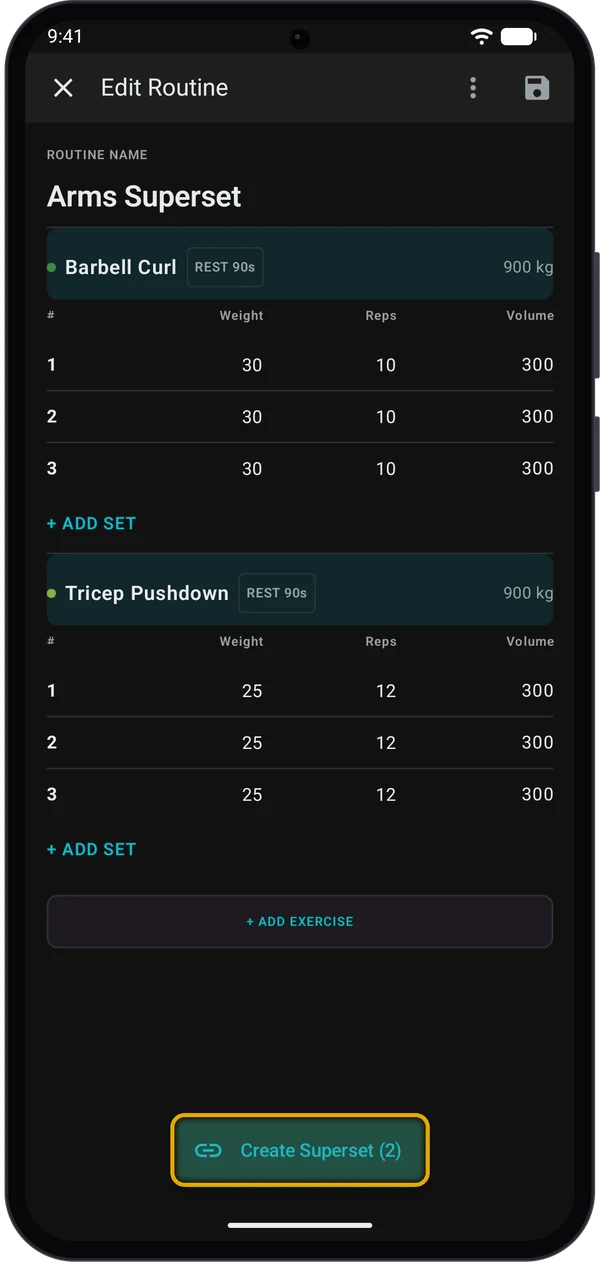
Tap **Create Superset (2)**. The number is how many exercises you selected. Kilo moves the exercises next to each other and adds a **Superset** label.
To take an exercise out, long-press it and tap **Remove from superset**. If only one exercise is left in the group, Kilo removes the superset.
### Make a superset in a routine
Open the routine and tap **Edit Routine**. The steps are the same: long-press an exercise, tap **Select for superset**, select the others, then tap **Create Superset**. Tap **Save Routine** when you finish.
Each routine exercise in a superset has the same coloured **Superset** label. When you start the routine on your phone, the supersets and set types come with it. Kilo also sends them to your watch. See [Log a workout on your Garmin watch](/help/log-workout-on-garmin-watch).
### How a superset works during a workout
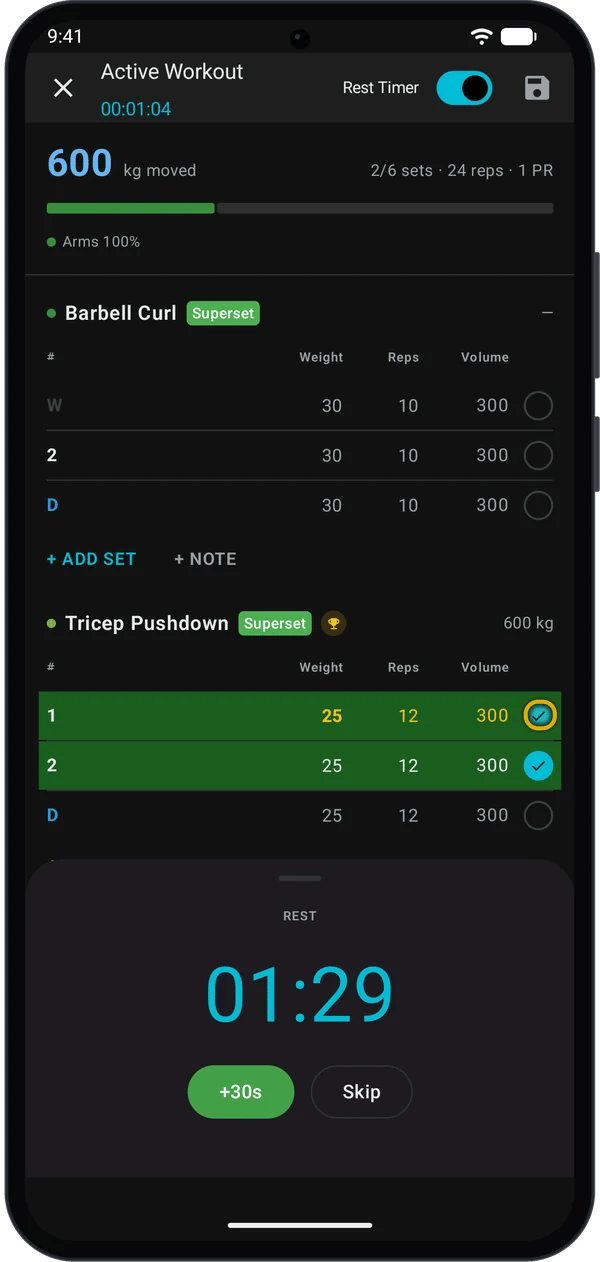
* After you tick a set, Kilo scrolls to the next exercise in the group.
* The rest timer starts only when you tick a set of the last exercise in the group.
The **Rest Timer** switch must be on. The routine's rest time (for example **REST 90s**) is for the watch. On the phone, Kilo uses **Rest Timer Duration** from **Settings**.
## Phone and routine editor
| | Routine editor | Active workout |
| - | - | - |
| Set type menu | Tap the set number | Tap the set number |
| Superset | Long-press an exercise | Long-press an exercise |
| Save | Tap **Save Routine** | Kilo saves with the workout |
| Rest timer | Not used | Follows the rules above |
## Quick fixes
Long-press the exercise name row, not a set. Hold until the menu opens.
The button shows after you select 2 or more exercises. Tap a selected exercise again to clear it.
Check that the **Rest Timer** switch is on. The timer also waits when the next set is a drop set, or when the exercise is not the last in its superset.
Kilo removes a superset when only one exercise is left in it.
## Next steps
Rest timer, Last hints and the plate calculator.
Set types and supersets on the watch.
This documentation is built and hosted on [Mintlify](https://mintlify.com), a developer documentation platform.